DocHub is an online PDF editor that lets you fill forms, sign documents, add text and share files without installing complicated software. It works well for everyday paperwork, approvals and simple document workflows.

DocHub
Best for PDF Editing and SigningOnline PDF editor for filling forms, signing documents and sharing files.
Try DocHub Free
Watch demo
We may earn a commission if you buy through this link. It never changes our rating.
What is DocHub?
What users sayDocHub is appreciated for its simple editing tools, electronic signatures and Google Drive integration. It works well for routine paperwork, although frequent users may find the free plan limits restrictive.
Pros and cons
Pros
- Easy PDF editing in your browser
- Free plan for occasional document work
- Electronic signatures and signature requests
- Fillable forms and reusable templates
- Strong Google Workspace integration
- Document sharing and collaboration
- AI-assisted document tools
- 30-day Pro trial
Cons
- Free plan has strict usage limits
- Unlimited editing requires Pro
- Not a full desktop publishing tool
- Advanced business features cost extra
- Internet access is needed for most workflows
Our verdict
DocHub is a handy choice for editing, filling and signing PDFs without installing complicated software. Its Google integrations make everyday paperwork easier. The free plan works for occasional tasks, while Pro is better for regular document workflows.
Who is DocHub for?
Students
Fill and sign school documents
- PDF forms
- Assignments
- Heavy daily editing
- Advanced publishing
Plan we would pick: Free
Freelancers
Edit contracts and client paperwork
- Signatures
- Templates
- Complex design work
- Large document automation
Plan we would pick: Basic
Small Businesses
Manage regular paperwork
- PDF editing
- Signature requests
- Complex enterprise workflows
- Offline editing
Plan we would pick: Pro
Teachers
Share forms and assignments
- Google Classroom
- PDF forms
- Advanced learning management
- Video lessons
Plan we would pick: Basic
Business Teams
Collaborate on documents
- Approvals
- Bulk signing
- Full CRM
- Project management
Plan we would pick: Pro
Industry fit
EducationUseful for forms and assignments
Strong fit
94
Professional ServicesContracts and client paperwork
Strong fit
92
Real EstateDocument signing workflows
Strong fit
90
Human ResourcesEmployee forms and approvals
Strong fit
88
Legal ServicesCheck document and signature requirements
Conditional
82
HealthcareHIPAA arrangements require eligible plans
Conditional
78
Key features
PDF Editor
Add text, images, highlights and annotations.
Electronic Signatures
Sign documents or request signatures from others.
Fillable Forms
Create and complete interactive PDF forms.
Document Templates
Reuse common documents and forms.
PDF Tools
Merge, reorder and manage PDF pages.
Document Sharing
Send files through links and connected apps.
Team Collaboration
Assign permissions and collect feedback.
AI Assistant
Get help with supported document tasks.
DocHub Intelligence
Access advanced AI editing and document tools on Pro.
Audit Trail
Review recorded document activity.
Google Integration
Edit files from Drive and Gmail.
DocHub pricing
Prices checked October 23, 2026
Basic
€8/month displayed User
- Unlimited downloads
- unlimited self-signing
- advanced PDF tools
- templates
Most popular
Pro
€12/month displayed User
- Unlimited PDF editing
- unlimited signature requests
- DocHub Intelligence
- bulk send
Site License
Custom Organization
- Enterprise collaboration
- SSO
- priority support
- HIPAA BAA option
Pricing calculator
Basic Free8 / seat, Pro Free12 / seat from 5 seats.
Is DocHub right for you?
Answer a few quick questions to see our pick.
How DocHub compares
DocHub focuses on practical PDF editing and signing in one browser-based workspace. Its Google Workspace integrations are especially convenient for people who handle documents through Gmail and Google Drive.
| Capability | DocHub | Adobe Acrobat | Smallpdf | DocuSign |
|---|---|---|---|---|
| PDF editing | Yes | Yes | Yes | Limited |
| Electronic signatures | Yes | Yes | Yes | Yes |
| Fillable forms | Yes | Yes | Yes | Yes |
| Google Drive integration | Yes | Yes | Yes | Yes |
| Reusable templates | Yes | Yes | Yes | Yes |
| Free plan | Yes | Limited | Limited | Limited |
| Document collaboration | Yes | Yes | Limited | Yes |
Integrations
9 integrations listed
- Google Drive
- Gmail
- Google Classroom
- Google Contacts
- Dropbox
- Microsoft OneDrive
- Box
- Google Chrome
- Microsoft Edge
Security, data & support
Security & compliance
- SOC 2 Type IIListed by DocHub
- GDPRListed by DocHub
- Encrypted storageSupported
- SSL/TLS encryptionSupported
- Two-factor authenticationSupported
- Document audit trailAvailable
- HIPAA BAASite License option
- Single sign-onAvailable on eligible plans
- Document password protectionPro and Site License
Your data, in plain words
- Documents are private by default.
- Uploaded files are stored using encrypted cloud storage.
- Sharing permissions control document access.
- Connected cloud services require account authorization.
- Sensitive documents should be shared only with approved recipients.
Support
- Help CenterAll plansSelf-service
- Email SupportAll plansNo guaranteed response time
- Support TicketsAll plansNo guaranteed response time
- Chat SupportLimited availabilityAvailability varies
- Priority SupportSite LicenseAgreement-dependent
API & languages
- Google Workspace integrationAvailable
- Chrome extensionAvailable
- Microsoft Edge extensionAvailable
- Public REST APINot verified
- Public API pricingNot verified
- Developer documentationNot verified
DocHub FAQs
What is DocHub?
DocHub is an online PDF editor and electronic signature platform.
Is DocHub free?
Yes. It offers a free plan with usage limits.
How much does DocHub cost?
The official EUR pricing page displays Basic at €8 and Pro at €12 per month.
Can I sign PDFs with DocHub?
Yes. You can sign documents and request signatures.
Does DocHub work with Google Drive?
Yes. Google Drive integration is supported.
Can I edit PDF text?
Yes. Editing existing PDF text is available subject to plan limits.
Does DocHub offer a free trial?
Yes. Pro has a 30-day free trial.
Can I create fillable forms?
Yes. DocHub supports PDF form fields and reusable templates.
Does DocHub have mobile apps?
Yes. It offers iOS and Android apps.
Is DocHub suitable for businesses?
Yes. Pro and organizational plans support more demanding document workflows.
Alternatives to DocHub
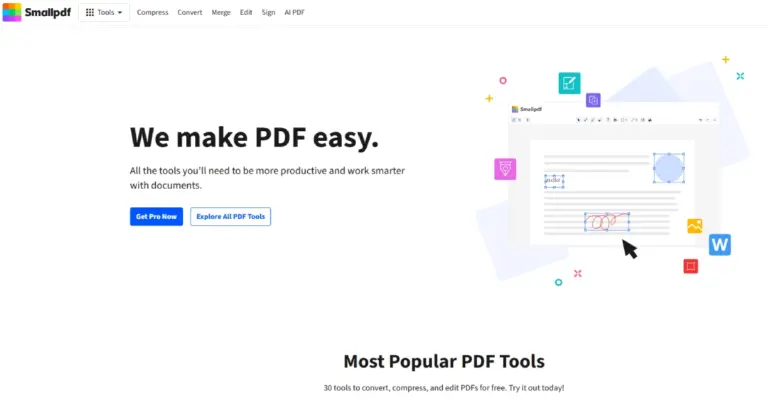
All-in-one PDF software for converting, compressing, editing, signing, organizing and managing PDF documents.
DocHub reviews
4.5
No reviews yet
DocHubFrom Free
Try DocHub Free