GitHub Copilot is an AI coding assistant that helps developers write, understand, review, and improve code without constantly leaving their development environment. It can suggest code as you type, answer coding questions, explain existing code, help fix errors, review changes, and handle larger development tasks through its agent features.

GitHub Copilot
Popular AI Coding Assistantby GitHub
AI coding assistant that helps developers write, understand, review, and improve code faster.
Try GitHub Copilot
Watch demo
We may earn a commission if you buy through this link. It never changes our rating.
What is GitHub Copilot?
What users sayDevelopers generally like Copilot because it speeds up everyday coding and reduces time spent writing repetitive code. Autocomplete and coding assistance are especially useful during regular development work. The main complaint is that suggestions can sometimes be wrong or miss the wider project context, so developers still need to review the generated code.
Pros and cons
Pros
- Saves time when writing repetitive code
- Works directly inside popular coding workflows
- Useful for explaining unfamiliar code and fixing errors
- Good autocomplete and next-edit suggestions
- Multiple AI models are available on paid plans
- Free plan is enough to try it before paying
Cons
- Code suggestions are not always correct
- Generated code still needs developer review and testing
- Free plan has limited monthly usage
- Advanced AI usage can run through credits quickly
- Some of the best models and features need higher-priced plans
- Can struggle when it does not have enough project context
Our verdict
GitHub Copilot is a practical choice for developers who spend a lot of time writing, reviewing, or debugging code. Its biggest advantage is that it fits directly into the normal coding workflow instead of forcing developers to switch between separate AI tools. It can save a lot of time on routine coding work, but its suggestions should still be reviewed and tested. The Free plan is good for trying Copilot, while Pro is the better starting point for developers who use it regularly.
Who is GitHub Copilot for?
Developers
Helps with everyday coding, debugging, and code explanation
- Code completion
- Debugging
- Code review
- Developers who do not want AI assistance
- Very occasional coding
Plan we would pick: Pro
Students
Useful for learning and understanding code when used responsibly
- Code explanation
- Learning
- Debugging
- Copying code without understanding it
- Non-coding study
Plan we would pick: Free
Freelancers
Speeds up routine development work and client projects
- Coding
- Debugging
- Refactoring
- Very light coding work
- No regular development
Plan we would pick: Pro
Development Teams
Adds AI coding assistance with team controls
- Development
- Code review
- Agent workflows
- Teams without regular software development
Plan we would pick: Business
Enterprise Teams
Adds organization-level controls and governance
- Enterprise development
- Governance
- AI coding
- Small individual projects
- Basic coding needs
Plan we would pick: Enterprise
Industry fit
Software DevelopmentBuilt directly for everyday software development workflows.
Strong fit
98
SaaSUseful for product engineering and development teams.
Strong fit
96
IT ServicesHelps developers work faster across client and internal projects.
Strong fit
94
StartupsUseful for small engineering teams shipping software quickly.
Strong fit
95
Enterprise TechnologyBusiness and Enterprise plans provide team controls and governance.
Strong fit
95
EducationUseful for learning programming when generated code is reviewed and understood.
Strong fit
88
Key features
Code Completion
Suggests code while you type and helps finish repetitive code faster.
Copilot Chat
Answers coding questions and helps explain, debug, and improve code.
Next Edit Suggestions
Predicts where you are likely to make your next code change.
Agent Mode
Handles larger coding tasks that require changes across multiple files.
Code Review
Reviews code changes and points out potential problems.
Copilot CLI
Brings Copilot assistance directly into terminal workflows.
Model Selection
Lets eligible users choose from supported AI models for different coding tasks.
Cloud Agent
Can work on development tasks in a cloud environment and propose code changes.
GitHub Copilot pricing
Prices checked October 6, 2026
Pricing calculator
Pro $10 / seat, Business $19 / seat from 1 seats.
How GitHub Copilot compares
GitHub Copilot's biggest advantage is how closely it fits into the GitHub and IDE development workflow. Developers can use AI for autocomplete, chat, code review, terminal work, and agent-based coding without moving their work into a completely separate platform.
| Capability | GitHub Copilot | Cursor | Windsurf | Amazon Q Developer |
|---|---|---|---|---|
| Code completion | Excellent | Excellent | Excellent | Excellent |
| AI chat | Yes | Yes | Yes | Yes |
| Agent mode | Yes | Yes | Yes | Yes |
| Code review | Yes | Yes | Yes | Yes |
| CLI support | Yes | Yes | Yes | Yes |
| Multiple AI models | Yes | Yes | Yes | Varies |
| GitHub integration | Excellent | Yes | Yes | Yes |
| Free plan | Yes | Yes | Yes | Yes |
| Team plan | Yes | Yes | Yes | Yes |
| Enterprise controls | Yes | Yes | Yes | Yes |
Integrations
9 integrations listed
- Visual Studio Code
- Visual Studio
- JetBrains IDEs
- Xcode
- Eclipse
- GitHub
- GitHub Mobile
- Windows Terminal
- GitHub CLI
Security, data & support
Security & compliance
- Content exclusionSupported
- Organization policy controlsSupported
- Access controlsBusiness and Enterprise
- Budget controlsBusiness and Enterprise
- Audit logsSupported on eligible plans
- Isolated agent environmentsSupported
- Human review before merging agent codeSupported
Your data, in plain words
- Copilot uses code and surrounding context to provide relevant coding assistance.
- Organizations can control access and policies for Copilot.
- Specific files can be excluded from Copilot using content exclusion.
- AI-generated code should still be reviewed and tested before production use.
- Cloud agent tasks use security controls and isolated environments to reduce risk.
Support
- DocumentationAll usersSelf-service
- Community SupportFree usersCommunity based
- Web SupportBusiness usersAvailable
- GitHub SupportEligible paid customersPlan dependent
API & languages
- IDE integrationYes
- CLI supportYes
- MCP supportYes
- Agent modeYes
- Cloud coding agentYes
- Third-party coding agentsSupported on eligible plans
- Organization policy controlsYes
GitHub Copilot FAQs
Is GitHub Copilot free?
Yes. Copilot Free provides limited monthly AI usage and 2,000 code completions per month.
How much does GitHub Copilot cost?
Individual paid plans start with Copilot Pro at $10 per month.
What is GitHub Copilot used for?
It helps developers write code, understand existing code, fix errors, review changes, and complete development tasks with AI assistance.
Is GitHub Copilot good for beginners?
Yes, but beginners should understand the generated code rather than accepting every suggestion without checking it.
Can GitHub Copilot make mistakes?
Yes. AI-generated code can be incorrect or insecure, so developers should review and test suggestions.
Does GitHub Copilot work in VS Code?
Yes. VS Code is one of the main supported development environments.
Does GitHub Copilot have a free plan?
Yes. The Free plan includes 2,000 code completions per month and limited AI usage.
Is GitHub Copilot useful for teams?
Yes. Business and Enterprise plans add organization controls, governance, and team-focused capabilities.
Alternatives to GitHub Copilot
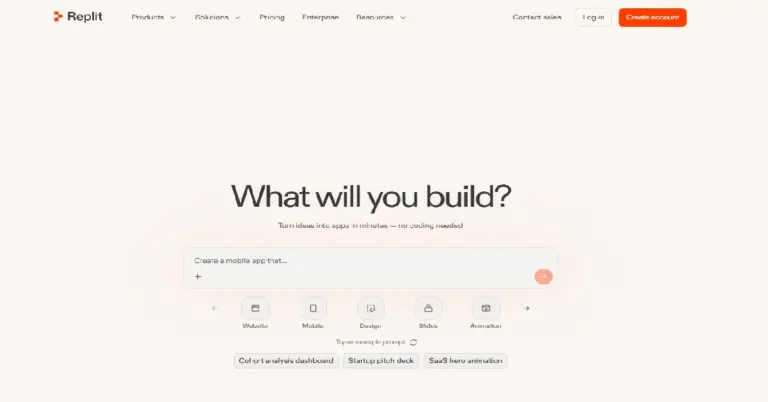

AI-powered software creation platform for building, testing and deploying websites, apps and tools from natural-language prompts.
GitHub Copilot reviews
4.4
No reviews yet
GitHub CopilotFrom $10/month
Try GitHub Copilot