Make is a visual automation platform that helps businesses connect apps, move data, automate repetitive work, and build AI-powered workflows without having to code everything from scratch. Its visual scenario builder makes complex automations easier to understand because you can see each step, filter, route, and connection in one place. Make is especially useful for marketing, sales, operations, e-commerce, and teams that need more control over their workflows.

Make
Visual Automation PlatformVisual no-code automation platform for connecting apps, building workflows, and creating AI-powered automations and agents.
Try Make Free
Watch demo
We may earn a commission if you buy through this link. It never changes our rating.
What is Make?
What users sayUsers generally like Make for its visual workflow builder, flexibility, and ability to handle automations that go beyond simple trigger-and-action workflows. The interface makes it easier to see how data moves between apps. The main learning curve appears when scenarios become large or use advanced routing, and users also need to keep an eye on credit usage.
Pros and cons
Pros
- Visual workflow builder makes complex automations easier to understand
- Connects with more than 3,000 apps
- Free plan is useful for testing real workflows
- Good control over filters, routers, and multi-step scenarios
- Strong option for AI-powered automation and agents
- Paid plans can be cheaper than some competitors for similar workloads
Cons
- Complex scenarios can take time to learn
- Credit usage can become confusing in large workflows
- Costs increase as automation volume grows
- Debugging a large scenario can take some practice
- Free plan has a 15-minute minimum run interval
- Some advanced security and admin features require Enterprise
Our verdict
Make is a strong choice for users who want more control over automation without building everything from code. Its visual scenario builder is especially useful for workflows with several apps, filters, and different paths. The Free plan is genuinely useful for learning and small automations, while Core is a reasonable starting point for regular business use. Make becomes more technical as workflows get complicated, but that extra flexibility is also one of its biggest advantages.
Who is Make for?
Small Businesses
Automates repetitive work between everyday business apps
- Lead automation
- Data entry
- Notifications
- Businesses using only one app
- No recurring processes
Plan we would pick: Core
Marketers
Connects lead forms, CRMs, email tools, and campaign data
- Lead workflows
- Campaign automation
- Reporting
- Pure content writing
- No automation needs
Plan we would pick: Core
Automation Professionals
Provides detailed control over routes, filters, APIs, and data
- Complex automation
- APIs
- Data workflows
- Very basic one-step workflows
- Users wanting zero setup
Plan we would pick: Pro
Agencies
Builds and manages advanced workflows across client tools
- Client automation
- Reporting
- Lead workflows
- Agencies with no recurring digital processes
Plan we would pick: Pro
Operations Teams
Automates repetitive processes across business systems
- Process automation
- Data movement
- Internal workflows
- Manual-only processes
- Very small workloads
Plan we would pick: Teams
Enterprise Teams
Adds security, support, governance, and advanced automation capabilities
- Enterprise automation
- Governance
- AI workflows
- Small individual projects
- Basic automation
Plan we would pick: Enterprise
Industry fit
MarketingExcellent for lead, campaign, CRM, and reporting automation.
Strong fit
96
SalesUseful for lead routing, CRM updates, and sales notifications.
Strong fit
94
E-commerceConnects stores, orders, inventory, CRM, and marketing systems.
Strong fit
95
SaaSStrong API and cloud-app automation capabilities.
Strong fit
96
AgenciesFlexible for managing complex client workflows.
Strong fit
95
OperationsExcellent for cross-app process automation.
Strong fit
97
IT & TechnologyAPIs and advanced workflow controls support technical automation.
Strong fit
94
Small BusinessFree and Core plans make automation accessible to smaller companies.
Strong fit
94
EnterpriseEnterprise security, SSO, support, and custom functions support larger organizations.
Strong fit
93
Key features
Visual Scenario Builder
Builds automation workflows using a visual drag-and-drop interface.
App Integrations
Connects workflows with more than 3,000 supported apps and services.
Routers
Splits a workflow into multiple paths based on different requirements.
Filters
Controls which data continues through a workflow.
Scheduling
Runs scenarios automatically based on a selected schedule.
Webhooks
Allows workflows to receive and process real-time data.
Make AI Agents
Builds AI agents that can work with connected tools and workflows.
Make AI Toolkit
Adds AI-powered processing and generation to automation scenarios.
Custom AI Providers
Paid users can connect supported external AI providers using their own connections.
Make API
Provides programmatic access to Make functionality on paid plans.
Custom Functions
Enterprise users can create reusable custom functionality.
Templates
Provides ready-made automation templates for common workflows.
Team Collaboration
Allows teams to organize and share automation work.
MCP
Connects Make workflows and tools with compatible AI systems.
Make pricing
Prices checked October 6, 2026
Free
$0 month
- 1,000 credits per month
- 3,000+ apps
- Visual workflow builder
- Routers and filters
- Customer support
- 15-minute minimum interval
Most popular
Core
$12 month
- 10,000 credits per month
- Unlimited active scenarios
- Scheduling down to one minute
- Make API access
- Higher data transfer limits
Pro
$21 month
- 10,000 credits per month
- Everything in Core
- Priority scenario execution
- Custom variables
- Full-text execution log search
Teams
$38 month
- 10,000 credits per month
- Everything in Pro
- Team roles
- Shared scenario templates
- Team collaboration
Enterprise
Custom custom
- Everything in Teams
- Custom functions
- Enterprise app integrations
- Advanced security
- 24/7 Enterprise support
- Overage protection
- Value Engineering
Pricing calculator
Core $12 / seat, Pro $21 / seat from 1 seats.
Is Make right for you?
Answer a few quick questions to see our pick.
How Make compares
Make stands out for its visual approach to automation. Instead of showing a workflow mainly as a list of steps, Make lets users see apps, routes, filters, and actions together on a visual canvas. This makes it particularly useful for complex workflows with multiple branches and data paths.
| Capability | Make | Zapier | n8n | Microsoft Power Automate |
|---|---|---|---|---|
| Visual workflow builder | Excellent | Good | Excellent | Good |
| No-code automation | Yes | Yes | Yes | Yes |
| Multi-step workflows | Yes | Yes | Yes | Yes |
| Routers and branching | Excellent | Yes | Excellent | Yes |
| AI workflows | Yes | Yes | Yes | Yes |
| AI agents | Yes | Yes | Yes | Yes |
| Webhooks | Yes | Yes | Yes | Yes |
| API access | Yes | Yes | Yes | Yes |
| Self-hosting | No | No | Yes | No |
| Free plan | Yes | Yes | Yes | Yes |
| Enterprise plan | Yes | Yes | Yes | Yes |
Integrations
22 integrations listed
- Google Sheets
- Gmail
- Google Drive
- Slack
- Microsoft 365
- Microsoft Teams
- Salesforce
- HubSpot
- Shopify
- WooCommerce
- Notion
- Airtable
- Trello
- Asana
- Monday.com
- Mailchimp
- OpenAI
- Anthropic Claude
- Google Gemini
- Perplexity AI
- Canva
- DeepSeek AI
Security, data & support
Security & compliance
- GDPRSupported
- SOC 2 Type IIAudited
- SOC 3Audited
- ISO 27001Certified information security program
- AES-256 encryption at restSupported
- TLS 1.2 and 1.3 in transitSupported
- Single Sign-OnEnterprise
- SAML 2.0Enterprise
- OpenID ConnectEnterprise
- Advanced team rolesSupported
- Regular penetration testingSupported
- AWS infrastructureSupported
- Enterprise isolated environmentSupported
Your data, in plain words
- Make processes data that passes through scenarios so automated workflows can run.
- Connections to third-party apps require user authorization.
- Scenario logs are stored for 30 days by default.
- Enterprise customers can request extended log-data storage.
- Passwords are stored in encrypted form.
- Data at rest is protected using AES-256 encryption.
- Network communication uses TLS 1.2 and TLS 1.3.
- Enterprise environments receive additional isolation, governance, and security controls.
- Users handling sensitive data should review Make's privacy, security, and data-processing terms before deployment.
Support
- Help CenterAll usersSelf-service
- Customer SupportAll plansAvailability depends on plan
- CommunityAll usersCommunity based
- 24/7 Enterprise SupportEnterprise24/7
- Enterprise Customer Support SLAEnterpriseDefined SLA
- Value Engineering TeamEnterpriseIncluded
API & languages
- Make APIYes
- API accessCore and higher
- WebhooksSupported
- HTTP requestsSupported
- Custom app developmentSupported
- Custom AI provider connectionsAll paid plans
- JavaScript custom functionsEnterprise
- Custom functions languageJavaScript ES6
- Third-party libraries in custom functionsNot supported
- MCP supportYes
- AI agentsSupported
- English
Make's primary product interface and official product documentation are centered on English. Workflows can still process text and data in many languages, and connected AI services may support multilingual prompts and content, but that should not be confused with officially supported Make interface languages.
Make FAQs
Is Make free?
Yes. Make has a permanent Free plan with up to 1,000 credits per month.
How much does Make cost?
Paid plans currently start with Core at $12 per month for 10,000 monthly credits.
What is Make used for?
Make is used to connect apps, move data, automate repetitive tasks, and build AI-powered workflows and agents.
Does Make require coding?
No. Most workflows can be created visually without coding, although technical knowledge can help with advanced scenarios.
How many apps does Make support?
Make currently advertises more than 3,000 app integrations.
What is a Make scenario?
A scenario is an automated workflow made up of connected modules, routes, filters, and actions.
What are Make credits?
Credits are Make's current billing unit. For non-AI apps, one operation normally uses one credit, while some AI features can consume credits differently.
Can Make connect to OpenAI?
Yes. Make supports OpenAI and other AI providers in automation workflows.
Does Make support AI agents?
Yes. Make provides AI agent capabilities for building workflows that can use AI reasoning and connected tools.
Does Make have an API?
Yes. Access to the Make API is included with paid plans such as Core and above.
Is Make good for small businesses?
Yes. It is especially useful when a business needs to connect several online tools and reduce repetitive manual work.
Is Make secure?
Make publishes SOC 2 Type II, SOC 3, GDPR, encryption, and enterprise security information.
Alternatives to Make
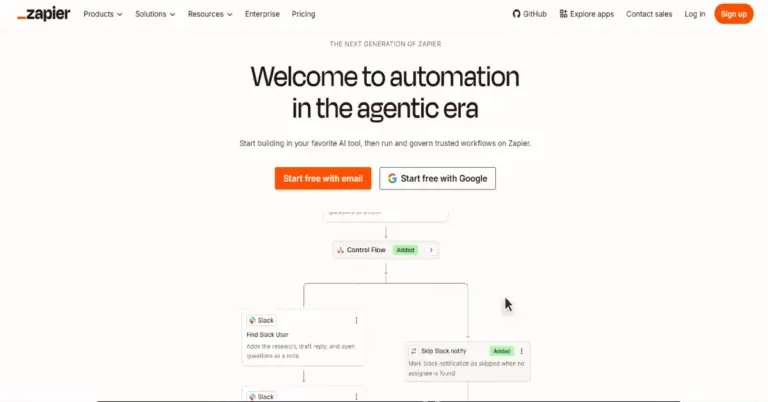

No-code automation platform for connecting apps and automating repetitive business workflows.
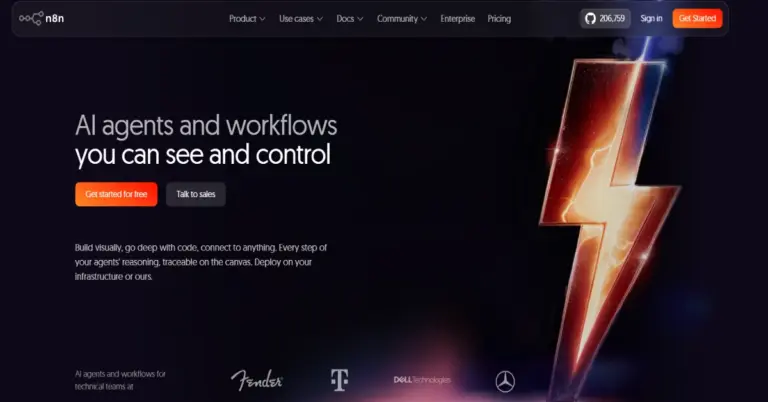

Flexible workflow automation platform for building app integrations, AI agents, and advanced business automations.
Make reviews
4.6
No reviews yet
Review sentiment
0% Positive0% Neutral0% Negative
G2 · 359 reviews
Rating: 4.6/5
Users often praise Make's visual workflow builder, flexibility, no-code automation capabilities, and ability to build complex scenarios
MakeFrom $12/month
Try Make Free