CapCut is a video editor for creating social media clips, tutorials and marketing videos. It brings editing tools, ready-made templates, captions and AI features into one workspace, making it easier to turn raw footage into finished content.

CapCut
Best for Short-Form Video Editingby ByteDance
Video editor for creating social media videos, adding captions and using AI editing tools.
Visit website
Watch demo
We may earn a commission if you buy through this link. It never changes our rating.
What is CapCut?
What users sayCapCut is appreciated for its simple editing workflow, captions and social media templates. It helps beginners create polished videos quickly. Common concerns include changing subscription prices and premium features that require additional credits.
Pros and cons
Pros
- Easy timeline-based video editing
- Free tools for basic editing
- Useful automatic captions
- Ready-made templates and effects
- AI video and image generation
- Works on mobile, desktop and web
- Good for short social media videos
- Premium plans include cloud storage
Cons
- Some effects require a subscription
- AI generation uses limited credits
- Prices vary by country and platform
- Templates differ across devices
- Advanced professional editing is limited
- Some features need an internet connection
Our verdict
CapCut is a good choice for creators who want to edit videos without spending weeks learning professional software. It handles captions, effects and short-form content particularly well. The free version is useful, but frequent users of premium effects and AI tools should compare subscription costs before upgrading.
Who is CapCut for?
YouTubers
Edit videos for YouTube
- Shorts
- Tutorials
- Complex film production
- Advanced color grading
Plan we would pick: Pro
Social Media Creators
Make reels and short videos
- Reels
- Captions
- Complex animation
- Large film projects
Plan we would pick: Free
Small Businesses
Create marketing content
- Product videos
- Promotions
- Advanced video production
- Large campaigns
Plan we would pick: Pro
Video Editors
Produce regular social videos
- Effects
- Transitions
- High-end post-production
- Complex audio mixing
Plan we would pick: Pro
Marketing Teams
Create branded content together
- Brand kit
- Shared assets
- Full campaign management
- CRM
Plan we would pick: Teams
AI Creators
Generate AI-assisted videos
- AI generation
- Creative experiments
- Unlimited generation
- Precise manual filmmaking
Plan we would pick: Ultra
Industry fit
Social MediaGreat for short videos
Strong fit
96
MarketingUseful for promotional content
Strong fit
93
EducationGood for video lessons
Strong fit
88
EcommerceProduct videos and ads
Strong fit
90
EntertainmentShort-form creative editing
Strong fit
89
Film ProductionLimited advanced editing workflows
Conditional
65
Key features
Video Timeline
Trim, split and arrange video clips.
Auto Captions
Generate subtitles from speech.
Video Templates
Create videos using editable designs.
Transitions
Add effects between clips.
Video Effects
Apply filters and visual effects.
Background Removal
Remove or replace supported backgrounds.
AI Video Generator
Generate clips from text or images.
AI Voice Generator
Create voiceovers using AI.
Text to Speech
Convert written text into spoken audio.
AI Image Generator
Create images for video projects.
Audio Editing
Adjust music, sound and voice tracks.
Speed Controls
Change playback speed.
Keyframe Animation
Animate supported visual properties.
Video Export
Save finished videos in supported formats.
Cloud Storage
Store projects on eligible plans.
Team Workspace
Share assets and collaborate on eligible plans.
CapCut pricing
Prices checked October 27, 2026
Most popular
Pro
$19.99/month displayed Subscription
- Premium effects
- premium templates
- 1200 monthly AI credits
- 1 TB storage
Ultra
$79/month displayed Subscription
- Pro features
- exclusive AI tools
- 8645 monthly AI credits
- 1 TB storage
Teams
$12.49/seat/month displayed Per seat
- Pro features
- 1200 AI credits per seat
- brand kit
- shared workspace
Is CapCut right for you?
Answer a few quick questions to see our pick.
How CapCut compares
CapCut focuses on quick video creation rather than complex film production. Its templates, captions and AI tools make it useful for social media content. Compared with traditional editing software, it is easier to learn but offers less control over advanced professional workflows.
| Capability | CapCut | Canva | VEED | Filmora |
|---|---|---|---|---|
| Video editing | Yes | Yes | Yes | Yes |
| Auto captions | Yes | Yes | Yes | Yes |
| Video templates | Yes | Yes | Yes | Yes |
| AI video tools | Yes | Yes | Yes | Yes |
| Desktop editor | Yes | Yes | Limited | Yes |
| Free editing option | Yes | Yes | Yes | Yes |
| Team collaboration | Teams | Yes | Yes | Limited |
Integrations
1 integration listed
- TikTok
Security, data & support
Security & compliance
- Privacy policyPublished
- Terms of servicePublished
- Account authenticationSupported
- Cloud project storageAvailable
- SOC 2 certificationNot verified
- ISO 27001 certificationNot verified
- Enterprise security controlsConfirm with vendor
Your data, in plain words
- CapCut processes uploaded videos, images and audio for editing.
- Cloud features may store projects and media online.
- AI tools process submitted content to generate results.
- Shared workspaces can expose assets to authorized team members.
- Review privacy settings and content licensing before publishing commercial work.
Support
- Help CenterAll usersSelf-service
- In-app supportSupported accountsResponse time not verified
- Customer supportEligible usersPlan-dependent
API & languages
- Public editing APINot verified
- API pricingNot verified
- Developer documentationNot verified
- Web editorAvailable
- Desktop applicationsAvailable
CapCut FAQs
What is CapCut?
CapCut is a video editing platform for creating and editing videos.
Is CapCut free?
Yes. Basic editing tools are available for free.
How much is CapCut Pro?
The official pricing page currently displays $19.99 per month in USD.
Does CapCut have AI features?
Yes. It offers AI video generation, captions and voice tools.
Can CapCut generate subtitles?
Yes. Auto Captions can turn speech into editable subtitles.
Is CapCut available on PC?
Yes. Desktop versions are available for Windows and macOS.
Can I use CapCut online?
Yes. It has a browser-based editor.
Does CapCut support teams?
Yes. Teams subscriptions offer collaboration features.
Does CapCut offer templates?
Yes. Availability varies by platform and region.
Are AI credits unlimited?
No. Paid plans include defined monthly credits.
Can I make YouTube videos with CapCut?
Yes. It supports both short and longer video projects.
Is CapCut available everywhere?
Availability depends on country, platform and local restrictions.
Alternatives to CapCut
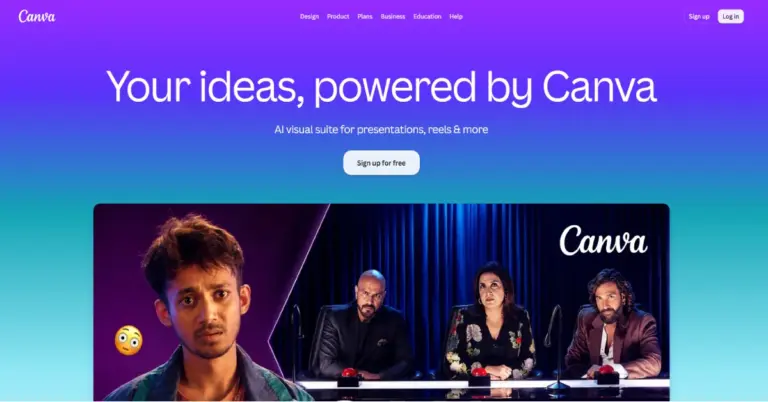

Design presentations, social media posts, videos, documents and graphics with an easy-to-use online design platform.
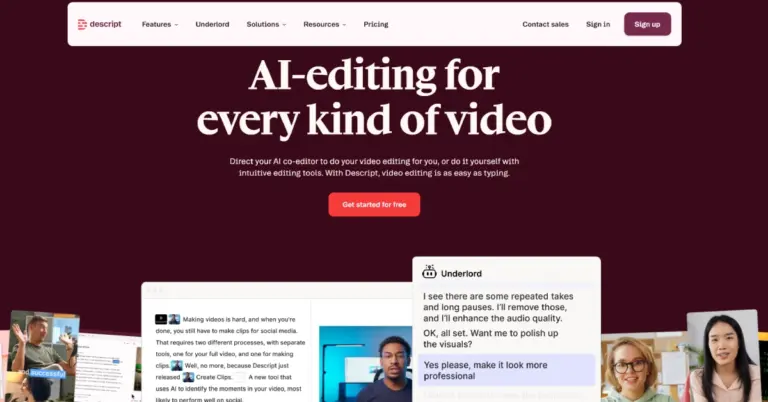

Descript is an AI-powered video and podcast editor that lets you edit recordings like text, generate…
CapCut reviews
4.5
No reviews yet
CapCutFrom Free; Pro displayed at $19.99/month
Visit website