Picking one of the many social media scheduling tools out there feels harder than it should. Every site claims its own favorite is the best. Some of those sites even own the favorite.
So this guide starts with a simple rule. We ranked tools by what they cost, what they give away for free and how well they fit real teams. Hype did not count. We went through vendor pricing pages and review platforms like G2 and Capterra. We also read Product Hunt ratings. All prices were checked in September 2026. This category changes prices often so please confirm on the vendor site before you pay.
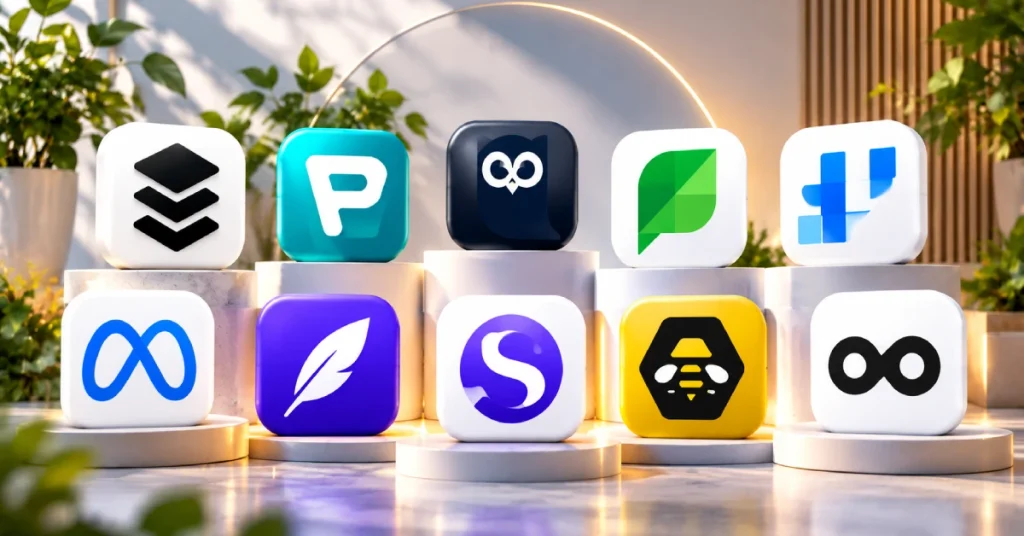
Quick Picks
If you are in a hurry here is the short list.
- Best overall: Buffer
- Best value: Publer
- Best for large organizations: Hootsuite
- Best for analytics: Sprout Social
- Best for visual content: Later
- Best analytics on a budget: Metricool
- Best for recycling old posts: SocialBee
- Best for agencies: Sendible
- Best for X and text-first platforms: Typefully
- Best free option for Facebook and Instagram: Meta Business Suite
Side by Side Comparison
| Tool | Best for | Starting price | Free plan |
|---|---|---|---|
| Buffer | Most people | $5 to $6 per channel per month | Yes, 3 channels |
| Publer | Low cost multi-platform | $5 per month | Yes, 3 accounts |
| Hootsuite | Big organizations | $99 per month | No, 30 day trial |
| Sprout Social | Reporting teams | $199 per seat per month | No, 30 day trial |
| Later | Instagram and TikTok | About $25 per month | Yes, very limited |
| Metricool | Multi-brand analytics | Free or about $20 per month | Yes, 1 brand |
| SocialBee | Evergreen content | $29 per month | No, 14 day trial |
| Sendible | Agencies | $29 per month | No, trial only |
| Typefully | Threads and text posts | Free or $10 per month | Yes |
| Meta Business Suite | Facebook and Instagram | $0 | Yes, fully free |
Prices are billed annually where that option exists.
How We Ranked Them
We looked at four things.
The first was how honest the free plan is. A free plan that works forever beats a trial that ends in two weeks.
The second was how the price grows. Some tools charge per user. Some charge per channel. Others charge per brand. The wrong model can double your bill as you grow.
The third was platform coverage. A cheap tool is useless if it skips the network you care about.
The fourth was whether the best feature is truly different or just good marketing copy.
A Warning About “Best Of” Lists
Here is something we noticed while researching. Many articles that rank high on Google for this topic are not neutral. Some are written by the company that sits at number one on the list.
We saw one small and very new tool called “best overall” and placed ahead of Buffer, Hootsuite and Sprout Social. The same promotional wording showed up on the tool’s own blog. Another article about free schedulers ranked the publisher’s own $49 per month product first.
That does not mean those products are bad. It means you should be careful. A tool with a handful of reviews should not beat a leader with thousands of them without strong proof. We used those articles only to find out which tools exist. We did not copy their rankings.
1. Buffer: Best Overall
Good for: Solo creators and small teams who want something simple.
Price: Free. Essentials starts at $5 to $6 per channel each month. Team costs $10 to $12 per channel. Agency is $120 flat for 10 channels.
Platforms: Facebook, Instagram, LinkedIn, X, Pinterest, TikTok, Mastodon and Bluesky.
Buffer wins because it is easy to like. The free plan covers three channels with 10 queued posts each. It never expires. When a post goes live a new slot opens up. So a steady weekly posting habit can live on the free plan for years.
The pricing logic is also friendly. Buffer charges per connected channel and not per person. On the Team plan five people working on the same three channels pay the same as one person would. Hootsuite and Sprout Social do not work that way.
There is a catch. If one brand uses eight networks you pay for eight channels. Essentials is also single-user. Adding a second person to approve posts means moving up to Team.
What we like:
- The free plan is a real product
- No per-seat fee on Team
- Very easy to learn
- Has a developer API on every tier
What we don’t:
- Cost grows with every platform you add
- Analytics history stops at 30 days even on paid plans
Skip it if you run many client brands on many networks. The costs stack up fast.
2. Publer: Best Value

Good for: People who want wide platform coverage without paying at the start.
Price: Free. Professional is $5 per month for one account. Business is $10 per month. Both are billed annually.
Platforms: Facebook, Instagram, X, LinkedIn, Google Business Profile, Pinterest, YouTube and TikTok.
Publer has the lowest paid starting price of any established tool here. Extra accounts cost $4 each. Every tenth account and every tenth team seat is free. For a small business with several profiles that adds up to real savings.
The free plan gives you three accounts and 10 scheduled posts per account. Google Business Profile is included which is rare. X is not included on free though so check that before you build your routine around it.
People rate it well. It holds around 4.7 on G2 from nearly 500 reviews. Reviewers mostly praise how easy it feels.
The free plan has two weak spots. There are no analytics at all. And the AI assistant needs your own OpenAI API key at lower tiers. That surprises a lot of new users.
What we like:
- Widest free platform list in the group
- Cheapest paid entry point
- Strong ratings for ease of use
What we don’t:
- Zero analytics on free
- No X on the free plan
- AI features need your own key
Skip it if you need reporting from day one. Look at Metricool instead.
3. Hootsuite: Best for Large Organizations

Good for: Big teams that need social listening and tight approval controls.
Price: Professional is $99 per month for one user on annual billing. Team is $249 per month. Enterprise is custom and often lands around $16,000 to $18,000 a year.
Platforms: More than 20 networks.
Hootsuite was the default enterprise pick for years. Its pricing still reflects that. The free plan was dropped long ago. You get a 30 day trial and then you pay.
What you pay for is depth. It tracks mentions of your brand even when nobody tags you. It has governance and approval tools that regulated industries need. It also connects to Salesforce and Zendesk which lighter tools do not attempt.
For a three person marketing team this is far too much. Three Standard seats cost close to $300 a month before add-ons. That is why small teams look at Buffer or Publer first and only come to Hootsuite when compliance or listening becomes a real need.
What we like:
- Listening and sentiment tools built in
- The widest network support here
- Strong compliance controls
What we don’t:
- No permanent free plan
- Per-seat pricing hurts beyond two or three users
- Top features sit on higher tiers
Skip it if you are a solo creator or a small team.
4. Sprout Social: Best for Analytics
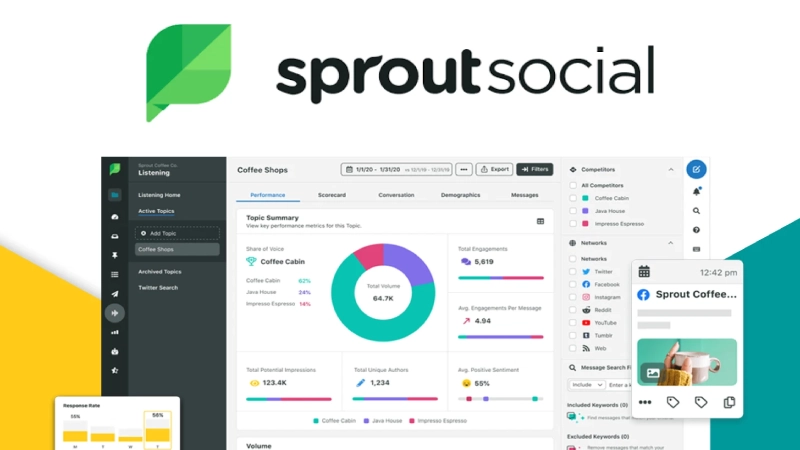
Good for: Teams that make decisions from data and will actually open the reports.
Price: Standard is $199 per seat each month on annual billing. Professional is $299. Advanced is $399. Enterprise is custom.
Platforms: Facebook, Instagram, LinkedIn, X, Pinterest, TikTok and YouTube.
Sprout Social is premium on purpose. A ten person team on Professional pays about $36,000 a year before add-ons. Social Listening and Employee Advocacy cost extra.
The money buys real depth. Its sentiment analysis reads the tone of engagement instead of just counting it. You also get competitor benchmarking and custom reports that look good in front of leadership.
Independent reviews agree on one point. Most teams use only a small part of it. If your week is “write a post, schedule it, check a few numbers” then you are overpaying by a lot. Buy it because analytics drives your strategy. Do not buy it because the name is famous.
What we like:
- Sentiment analysis that goes beyond counting
- Reports made for stakeholders
- A smart inbox across platforms
What we don’t:
- Among the most expensive tools here
- Key modules sold separately
- Seat costs climb fast past five people
Skip it if you only need basic scheduling. You would pay three to five times more than Buffer or Publer.
5. Later: Best for Visual Content
Good for: Brands that plan their Instagram or TikTok feed by eye.
Price: Starter is about $25 per month on annual billing. Growth is about $50. Advanced runs about $80 to $96.
Platforms: Instagram, TikTok, Facebook, Pinterest, X and LinkedIn.
Later grew up around Instagram and it shows. You drag posts around a visual grid and see how your profile will look before anything goes live. Most rivals use plain list queues so this feels different.
It also includes Linkin.bio. That turns your bio link into a clickable page of your recent posts. It saves you from paying for a separate link-in-bio tool.
The free plan is the tightest on this list. It caps you at around 10 posts for life. That is a taste and not a real ongoing plan.
Outside its visual lane Later is thinner. We found no documented public API for enterprise use. CRM links are also lighter. So it suits visual brands more than multi-network B2B teams.
What we like:
- Best drag and drop feed planning
- Linkin.bio included
- Good TikTok support
- Built-in tools for collecting user content
What we don’t:
- Lifetime post cap on free
- Weaker outside visual work
- Prices have crept up so confirm current tiers
Skip it if you need deep integrations. Pick Hootsuite or Sprout Social.
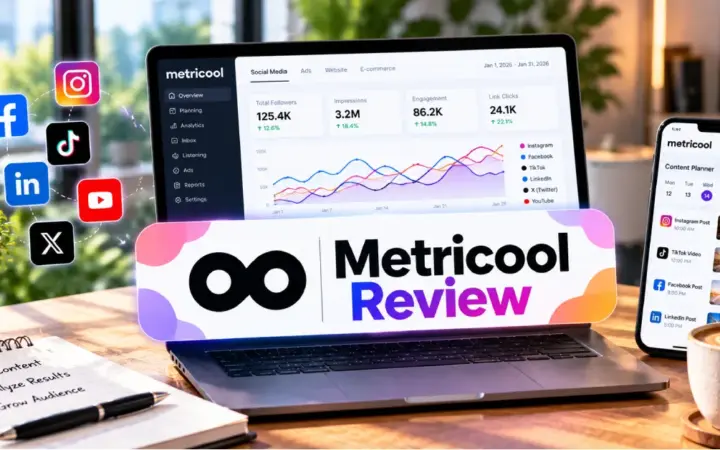
6. Metricool: Best Analytics on a Budget
Good for: Agencies and multi-brand teams who want reporting without per-seat fees.
Price: Free for one brand. Starter is about $20 to $25 per month. Advanced is about $53 to $67 for up to 15 brands.
Platforms: Facebook, Instagram, TikTok, Pinterest and YouTube. LinkedIn and X need a paid plan.
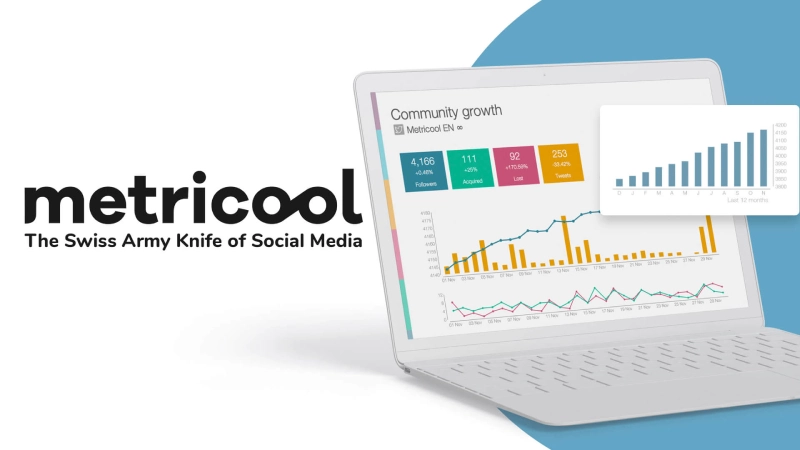
Metricool charges by brand and not by person. That changes the math for agencies. A three person team handling ten brands pays roughly $150 a month. The same coverage on Hootsuite’s per-seat Advanced tier runs well past $1,000. Agencies often name that gap as the reason they switched.
The free plan is a real product. You get one brand and about 20 posts a month. You also get 30 days of analytics and competitor tracking plus an AI caption helper. No credit card is needed.
Watch two things. Connecting X costs an extra $10 a month per account on every paid tier. And approval workflows only come with the Advanced plan.
What we like:
- Unlimited team members on paid plans
- Real analytics on the free plan
- Competitor tracking and ad reporting
What we don’t:
- X costs extra
- Approvals locked behind Advanced
- LinkedIn needs a paid plan
Skip it if you manage a single brand. Buffer or Publer give you more for free.
READ MORE: Notion vs Motion 2026: Which One Should You Pay For?
7. SocialBee: Best for Recycling Content
Good for: Brands with a library of evergreen posts.
Price: From $29 per month for 5 profiles and 1 user on annual billing. Higher tiers reach $449 for 150 profiles and 5 users.
Platforms: Facebook, Instagram, LinkedIn, X, Pinterest, TikTok and Google Business Profile.
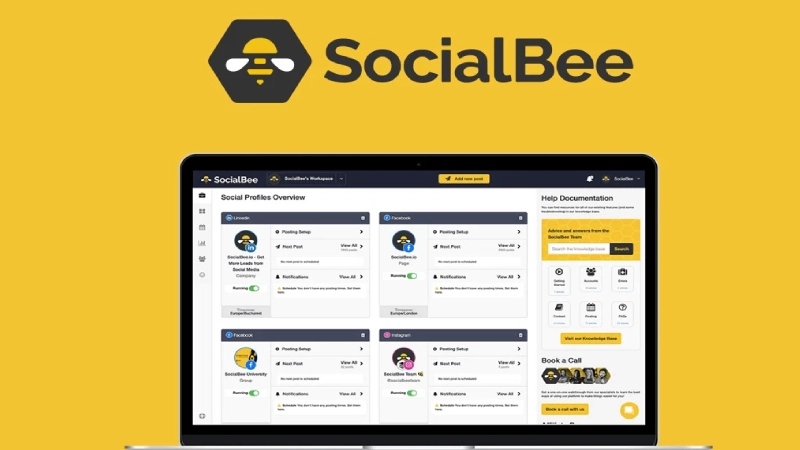
SocialBee thinks about your queue differently. You sort content into categories like blog posts or testimonials or promotions. Then you give each category its own posting rhythm.
The best part is recycling. A tip that is still true a year later gets queued again without you lifting a finger. For accounts with long-lived content this is the most useful feature in the group.
Every paid plan includes AI captions plus Canva and Unsplash and GIPHY connections. RSS feeds can top up categories automatically too.
There is no free plan. You get a 14 day trial. Reviewers also say it suits content-first work more than inbox-heavy engagement work.
What we like:
- Category recycling is truly different
- AI and design integrations included
- Fair pricing next to Sendible and Sprout Social
What we don’t:
- No free plan
- Thin inbox tools
- Profile-based pricing can surprise agencies with many small accounts
Skip it if your top need is a shared customer inbox. Try Sprout Social or Agorapulse.
8. Sendible: Best for Agencies

Good for: Agencies that report to clients every month.
Price: Creator is $29 per month. Traction is $89. Scale is $199. All on annual billing.
Platforms: More than 15 networks including Instagram, Facebook, TikTok, LinkedIn, Google Business Profile, YouTube, WordPress, Threads, Bluesky and X.
Sendible is built around the agency and client relationship. You get separate client dashboards and white-label reports that carry your branding and not theirs. Higher tiers allow up to 400 profiles and 80 users.
That structure saves hours. Without it you would export data and rebuild reports by hand in another tool.
Compared with Hootsuite it offers similar reach at a lower per-seat cost. The tradeoff is analytics. It does not go as deep as Hootsuite’s listening or Sprout Social’s sentiment tools. Most agency clients just want a clean monthly report anyway.
A single in-house brand will find the client dashboards pointless.
What we like:
- Built for client work
- Wide platform list including WordPress
- Cheaper per seat than Hootsuite
What we don’t:
- No permanent free plan
- Analytics are shallower than the big two
- Overkill for one brand
Skip it if you run one in-house team.
9. Typefully: Best for X and Text-First Platforms

Good for: Writers and founders who live on X or Threads.
Price: Free with 15 posts a month. Paid starts at $10 a month for 1,000 posts across 10 social sets.
Platforms: X, Threads, Bluesky, Mastodon and LinkedIn.
Typefully is narrow and proud of it. Most schedulers treat a thread as an awkward extra. Typefully builds the whole editor around threads. You see a character count for each post. You can drag posts to reorder them. You preview how the thread will look before it goes out.
The free plan works for a light personal account. The paid plan is cheap compared to general tools. Product Hunt users praise it for text-first work and that praise fits what we saw.
If your content is mostly images or video this is the wrong tool. Later or Buffer fit better. The company is also smaller than the category leaders so expect a leaner support team.
What we like:
- A real thread composer
- Low paid price
- Usable free plan
What we don’t:
- No Instagram or Facebook or TikTok or Pinterest
- Poor fit for visual brands
- Smaller support team
Skip it if your content is image-first.
10. Meta Business Suite: Best Free Option for Facebook and Instagram
Good for: Local businesses that only use Facebook and Instagram.
Price: $0.
Platforms: Facebook and Instagram only.
Meta’s own tool is easy to overlook. It is completely free and has no post limits. It also has no watermark and no paid tier trying to upsell you.
Because Meta built it you avoid the API limits that third-party tools must work within. You get native analytics and a shared inbox as well.
The obvious weakness is scope. It covers two networks and nothing else. Once you need LinkedIn or TikTok or X you must add a second tool. Then the free advantage fades because you now run two apps.
Bulk upload and the scheduling screen also feel clunkier than dedicated tools. Still a restaurant or a salon that lives on Facebook and Instagram should start here before paying anyone.
What we like:
- Free with no caps
- First-party reliability
- Includes analytics and inbox
What we don’t:
- Only two platforms
- Clunkier bulk tools
- No cross-platform reporting
Skip it if you post to three or more networks.
A New Niche: Scheduling Built for AI Agents
One new category appeared in 2026. These are tools meant for AI agents to operate and not for humans to click through. PostEverywhere.ai is the clearest example. It offers a hosted MCP server so an agent in Claude or ChatGPT or Cursor can post and schedule directly. It also has an API and a command line tool.
If an automation pipeline decides what and when to post this is worth a look. It makes sense on its own terms.
It is not a like-for-like replacement for Buffer or Hootsuite in a human-run workflow though. It has far fewer independent reviews than the established names. Some of the loudest “best overall” claims about it also read like vendor copy. Run a small pilot if agent posting is your real use case. Do not treat it as a default pick.
Which One Should You Pick?
By goal
- Start free and stay free as long as possible: Buffer or Publer.
- Deep analytics you will actually use: Sprout Social with a big budget or Metricool with a smaller one.
- Visual Instagram-first planning: Later.
- Many client brands: Sendible if client reports matter most. Metricool if cost matters most.
- Reusing old evergreen posts: SocialBee.
- Text-first networks only: Typefully.
- Facebook and Instagram for $0: Meta Business Suite.
By setup effort
- Almost no patience for setup: Meta Business Suite.
- Fifteen minutes to spare: Buffer or Publer.
- Happy to configure categories or workflows or reports: SocialBee or Metricool or Sendible.
- Large team with compliance needs: Hootsuite or Sprout Social. Plan for onboarding time.
Five Questions to Ask Before You Pay
- How many platforms do I really use? Two means Meta Business Suite is enough. Five or more points to Buffer or Publer.
- Do I need deep analytics or just basic numbers? If leadership wants sentiment reports then budget for Sprout Social. If not that money is wasted.
- Am I billing clients? If yes then Sendible’s white-label reports earn their cost. If no skip agency tools.
- How will I grow? Per-seat tools punish bigger teams. Per-channel tools punish platform sprawl. Per-brand tools treat growing agencies best.
- Can I trust this ranking? Check who wrote it. See if the number one pick has solid independent reviews behind it.
Frequently Asked Questions
What is the best free social media scheduling tool in 2026?
For the widest free coverage pick Publer. You get three accounts including Google Business Profile. For the smoothest free experience on fewer platforms pick Buffer. For Facebook and Instagram with no caps use Meta Business Suite.
Is Hootsuite worth it for a small business?
Usually not. It starts at $99 a month per seat and has no free plan. It is built for organizations that need listening and governance. A small business gets the same scheduling from Buffer or Publer for far less.
Which tool has the best analytics?
Sprout Social goes deepest on sentiment and reporting but costs $199 or more per seat each month. Metricool gives strong analytics and competitor tracking at a much lower per-brand price. Unless you need Sprout’s sentiment depth Metricool is the better buy.
How can I tell if a “best of” list is trustworthy?
Look for independent review volume on G2 or Capterra or Product Hunt. Check whether the number one pick is established or brand new. Watch for the publisher selling the winner. Those are the warning signs.
What is the difference between per-seat and per-channel and per-brand pricing?
Per-seat tools like Hootsuite and Sprout Social charge for every team member. Per-channel tools like Buffer charge for each connected social account. Per-brand tools like Metricool charge for each brand with unlimited people and channels inside it. Choose the one that matches how you will grow.
Is there a scheduler built for AI agents?
Yes. PostEverywhere.ai is the clearest example with a hosted MCP server. It suits automation-driven workflows. It is still new and has limited independent reviews so treat it as a pilot and not a default.
Final Verdict
For most people Buffer is the safest place to start. It has a real free plan and predictable pricing and a clean interface. If money is tight and you need more platforms including Google Business Profile then choose Publer. Large organizations that truly need listening and governance should look at Hootsuite or Sprout Social. Just know that both are priced for big teams and not for three marketers.
Text-first creators should try Typefully. Teams running agent-driven posting can pilot PostEverywhere.ai. Neither one replaces the category leaders for a normal human-run workflow. Whatever you pick confirm the price on the vendor page before you pay. This market moves fast.