Adobe Express is an online design tool for creating social posts, videos, flyers, presentations and marketing materials. It combines ready-made templates, simple editing tools and Adobe Firefly AI features in one workspace.

Adobe Express
All-in-One Design Toolby Adobe Inc.
Online design platform for social media graphics, videos, presentations and AI-assisted content creation.Online design platform for social media graphics, videos, presentations and AI-assisted content creation.
Get Started Free
Watch demo
We may earn a commission if you buy through this link. It never changes our rating.
What is Adobe Express?
What users sayAdobe Express is useful for making professional-looking content without learning complicated design software. Its templates, quick editing tools and Adobe Stock assets are convenient for everyday work. Users who need detailed image manipulation or advanced video editing may still prefer dedicated creative applications.
Pros and cons
Pros
- Easy design editor for beginners
- Large collection of editable templates
- Free plan with useful design tools
- Adobe Firefly generative AI features
- Photo, video and PDF quick actions
- Built-in social media scheduling
- Premium Adobe Stock assets
- Brand kits and shared templates
- Real-time collaboration
- Works on web and mobile
Cons
- Premium assets require a subscription
- Generative AI credits have monthly limits
- Some advanced tools are available only in paid plans
- Not a full replacement for Photoshop or Illustrator
- Team subscriptions have minimum license requirements
- Certain Adobe Stock assets have licensing restrictions
Our verdict
Adobe Express is a practical choice for people who regularly create social graphics, short videos and promotional materials. It offers more than basic templates, especially with its Firefly tools and Adobe Stock library. The free plan is useful for everyday designs, while Premium is better for users who need brand consistency, premium assets and faster editing.
Who is Adobe Express for?
Bloggers
Create graphics for articles and websites
- Featured images
- Infographics
- Advanced photo compositing
- Complex illustration
Plan we would pick: Premium
Social Media Creators
Make posts and short videos
- Reels
- Social graphics
- Feature-film editing
- Advanced animation
Plan we would pick: Premium
Small Businesses
Design promotional content
- Flyers
- Advertisements
- Full marketing automation
- CRM management
Plan we would pick: Premium
Students
Prepare class presentations and visual projects
- Presentations
- Posters
- Advanced scientific visualization
- CAD
Plan we would pick: Free
Marketing Teams
Produce consistent branded content
- Brand kits
- Shared templates
- Enterprise campaign analytics
- CRM
Plan we would pick: Teams
Educators
Create classroom resources
- Worksheets
- Presentations
- Learning management
- Student grading
Plan we would pick: Free
Industry fit
MarketingGood for campaign graphics
Strong fit
95
EducationUseful for presentations and learning materials
Strong fit
93
EcommerceProduct promotions and social posts
Strong fit
90
MediaEveryday graphics and video clips
Strong fit
89
Small BusinessFlyers and promotional designs
Strong fit
94
Professional DesignAdvanced projects may require Creative Cloud apps
Conditional
77
HealthcareSuitable for general communications, not clinical toolsv
Conditional
75
Key features
Design Templates
Create graphics using editable templates.
Photo Editor
Crop, adjust and enhance images.
Video Editor
Trim, combine and edit video clips.
Background Remover
Remove backgrounds from supported images and videos.
Adobe Firefly AI
Generate images and design elements using AI.
Generative Fill
Add or remove objects with AI assistance.
Text Effects
Create decorative text using generative AI.
One-Click Resize
Adapt designs to different formats.
Brand Kits
Save logos, colors and fonts for consistent designs.
Adobe Stock Library
Access photos, videos, music and graphics.
Adobe Fonts
Use fonts from Adobe's font collection.
Content Scheduler
Schedule posts to supported social networks.
Video Captions
Add captions to videos.
PDF Quick Actions
Convert and make basic edits to PDF files.
Presentation Maker
Create slides using templates and AI tools.
QR Code Generator
Create QR codes for marketing materials.
Collaboration
Share files for comments and editing.
Creative Cloud Libraries
Access reusable creative assets.
Translation
Translate supported text into multiple languages.
Cloud Storage
Store and access designs online.
Adobe Express pricing
Prices checked October 27, 2026
Free
$0 User/month
- 100000+ templates
- basic photo and video editing
- 5GB storage
- social scheduling
Most popular
Premium
$9.99/month User/month
- Premium templates
- 250 generative credits
- 100GB storage
- one-click Resize
- premium assets
Teams
$7.99/month regular price License/month
- Premium features
- 250 AI credits per user
- brand controls
- shared templates
- admin tools
- 1TB pooled storage per user
Enterprise
Custom Organization
- Team features
- advanced administration
- enterprise security
- integrations
Pricing calculator
Premium Free;9.99 / seat, Teams Free;7.99 / seat from 2 seats.
Is Adobe Express right for you?
Answer a few quick questions to see our pick.
How Adobe Express compares
Adobe Express brings Adobe Stock, Firefly AI and simple design tools into one editor. Compared with professional Adobe applications, it is easier to learn and better suited to quick marketing content. Its connection with the Adobe ecosystem is particularly useful for people who already work with Photoshop or Illustrator.
| Capability | Adobe Express | Canva | VistaCreate | Visme |
|---|---|---|---|---|
| Social media templates | Yes | Yes | Yes | Yes |
| Photo editing | Yes | Yes | Yes | Yes |
| Video editing | Yes | Yes | Yes | Available |
| AI image generation | Firefly | Yes | Available | Available |
| Brand kits | Yes | Yes | Yes | Yes |
| Social scheduling | Yes | Yes | Available | Check plan |
| Free plan | Yes | Yes | Yes | Yes |
| Team collaboration | Yes | Yes | Available | Yes |
Integrations
13 integrations listed
- Adobe Photoshop
- Adobe Illustrator
- Adobe Creative Cloud Libraries
- Adobe Stock
- Adobe Fonts
- Adobe Firefly
- Adobe Experience Manager
- TikTok
- Metricool add-on
Security, data & support
Security & compliance
- Adobe account authenticationSupported
- Cloud file storageSupported
- Real-time collaborationSupported
- Admin ConsoleTeams and Enterprise
- Single sign-onEligible Enterprise plans
- Asset access controlsEligible business plans
- Encryption key supportEligible Enterprise plans
- SOC 2 certificationProduct-specific status not verified
- ISO 27001 certificationProduct-specific status not verified
Your data, in plain words
- Adobe Express stores projects and creative assets in the cloud.
- Shared projects can be accessed by authorized collaborators.
- Generative AI tools process prompts and submitted content.
- Adobe Stock assets are subject to licensing terms.
- Business administrators can manage licenses and organizational assets.
- Review Adobe's privacy policy before uploading confidential material.
Support
- Adobe Help CenterAll usersSelf-service
- Adobe CommunityAll usersCommunity-based
- Customer SupportEligible subscribersResponse time varies
- Enterprise SupportEnterpriseContract-dependent
API & languages
- Creative Cloud integrationsSupported
- Adobe Experience Manager integrationAvailable for eligible enterprise workflows
- User management APIsAvailable for eligible Enterprise customers
- Public Adobe Express editor APINot verified
- Developer documentationAdobe Developer platform
Adobe Express FAQs
What is Adobe Express?
Adobe Express is a design platform for graphics, videos and marketing content.
Is Adobe Express free?
Yes. It offers a permanent Free plan.
How much does Adobe Express Premium cost?
Premium costs $9.99 per month in the displayed US pricing.
Does Adobe Express offer a free trial?
Yes. Premium includes a 30-day trial.
Can Adobe Express edit videos?
Yes. It includes basic video editing and caption tools.
Does Adobe Express have AI tools?
Yes. Adobe Firefly powers supported generative AI features.
Can I remove image backgrounds?
Yes. Background removal is available.
Can I schedule social media posts?
Yes. The Content Scheduler supports selected social platforms.
Does Adobe Express include Adobe Stock?
Yes. Free and paid plans include different asset collections.
Can I create presentations?
Yes. Adobe Express supports presentations and templates.
Does Adobe Express work on mobile?
Yes. It supports iOS and Android.
Is Adobe Express the same as Photoshop?
No. Express focuses on quick content creation while Photoshop offers more advanced image editing.
Can teams collaborate?
Yes. Teams plans include shared brand assets and administration.
Does Adobe Express support commercial projects?
Yes, subject to the applicable asset and generative AI licensing terms.
Alternatives to Adobe Express
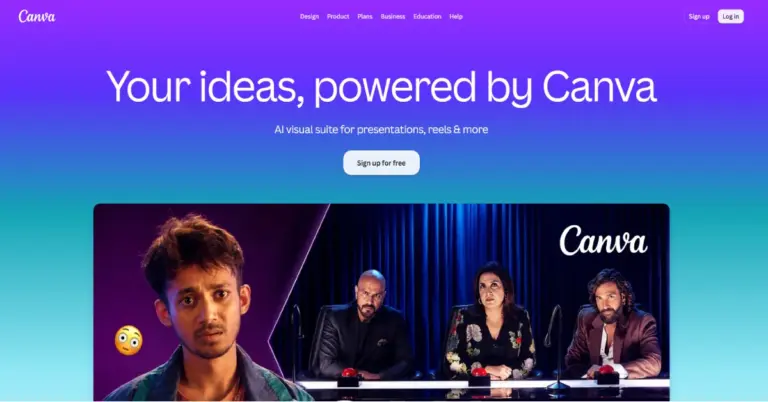

Design presentations, social media posts, videos, documents and graphics with an easy-to-use online design platform.
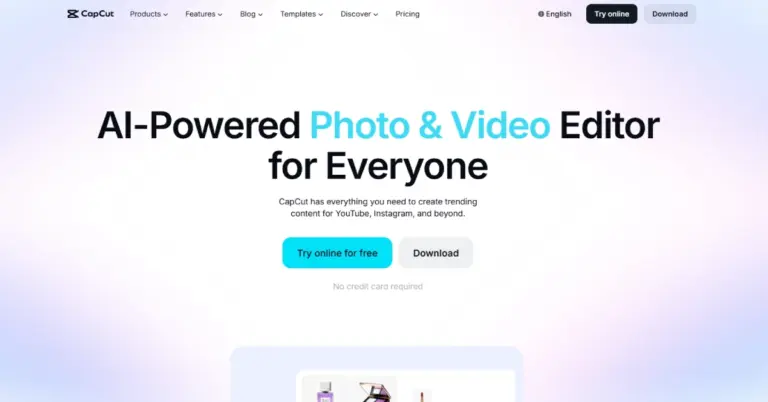

Video editor for creating social media videos, adding captions and using AI editing tools.
Adobe Express reviews
—
No reviews yet
Adobe ExpressFrom Free; Premium $9.99/month
Get Started Free