Creating a short video used to involve several separate tasks. Even a simple product clip required planning and filming before anyone could begin editing. AI video generators have changed that process by allowing people to create moving scenes from written descriptions or existing images. However, generating a video is not always as quick as the finished result makes it look.
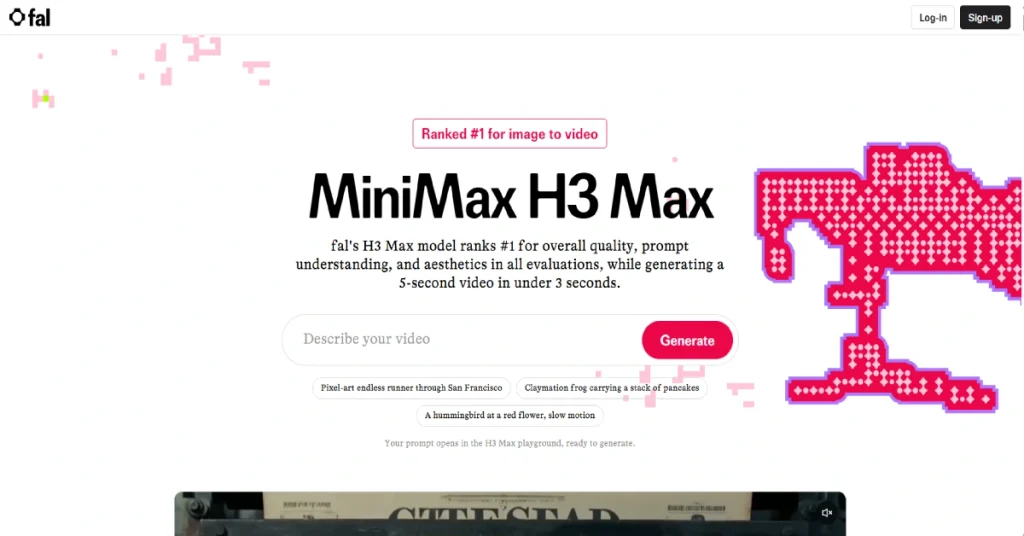
Many AI video tools can produce impressive clips, but the waiting time becomes frustrating when you need several versions of the same idea. A creator might generate a scene and discover that the camera moves in the wrong direction. Another attempt might look better but fail to follow an important detail in the prompt. When each attempt takes a long time, experimentation becomes expensive in both time and money. MiniMax H3 Max enters this market with a strong emphasis on speed. It is a version of the MiniMax H3 video model that has been further trained and optimized by fal Research. The goal is to improve how accurately the model follows instructions while reducing the time needed to generate video. Rather than focusing only on making a single impressive clip, H3 Max aims to make repeated video creation practical.
The model can generate short videos from text prompts and animate existing images. It also supports workflows involving reference material and synchronized audio. These capabilities make it interesting for marketers and video creators who want to experiment with visual ideas without building a traditional production setup.
What makes H3 Max particularly notable is the performance reported by its developer. fal says the model can generate a five-second video in under three seconds under certain benchmark conditions. That is an unusually short generation time for a model designed to produce detailed video with sound. However, benchmark speed and the time an individual user experiences are not necessarily identical. In this MiniMax H3 Max review, we will examine how the model works and what its features can realistically offer. We will also look at pricing and practical limitations before comparing it with the original MiniMax H3 and other AI video generators.
What Is MiniMax H3 Max?
MiniMax H3 Max is an AI video generation model developed by fal Research using the open-weight MiniMax H3 model as its foundation. The original H3 was created by MiniMax and released in July 2026. fal subsequently trained its own version with additional attention to visual quality and prompt following.
This distinction matters because H3 Max is not simply another name for the original H3 model. It is a separately optimized version that uses fal’s infrastructure for fast video generation. Users can access it through fal’s web interface and developer API.
H3 Max is designed to create video clips from written prompts and images. It can also use reference material to guide the appearance or movement of a generated scene. The model supports native audio generation so sound can be produced alongside the video rather than added through a separate editing process. According to fal’s August 2026 launch announcement, the company evaluated H3 Max against other video models and reported strong results for visual quality and instruction following. These claims are useful for understanding the model’s positioning but should be considered alongside independent tests and the specific needs of a project.
MiniMax H3 Max at a Glance
| Detail | Information |
|---|---|
| Model Name | MiniMax H3 Max |
| Developed By | fal Research |
| Base Model | MiniMax H3 by MiniMax |
| Released | August 2026 |
| Tool Type | AI Video Generator |
| Main Features | Text-to-video, image-to-video, reference-to-video |
| Maximum Clip Length | 15 seconds |
| Supported Resolutions | 480p, 768p and 1080p options |
| Native Audio | Yes |
| Developer API | Available |
| Pricing Model | Pay per generated second |
| Official Access | H3 Max on fal |
How Does MiniMax H3 Max Work?
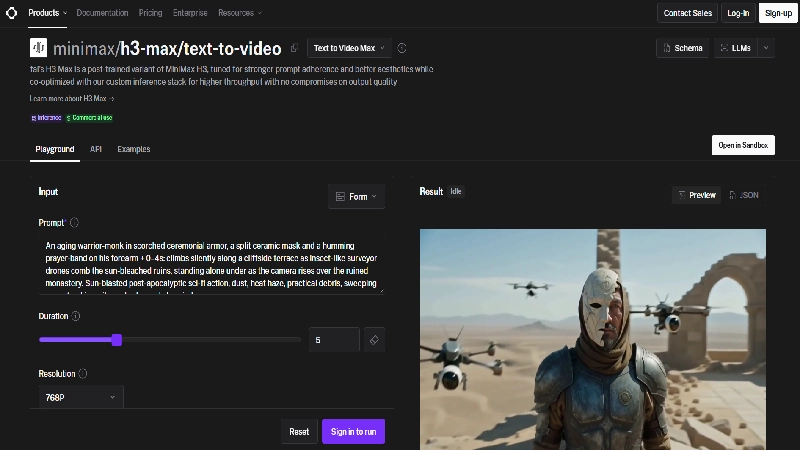
H3 Max converts user instructions into short video clips using a generative model that has learned relationships between visual content and motion. A user can describe a scene and specify details such as lighting or camera movement. The model then attempts to generate a video that matches those instructions. a creator might request a cinematic scene showing a small coffee shop during heavy rain. The prompt could describe warm interior lighting and reflections on the street. Instead of filming the scene, the creator can submit the description and ask H3 Max to produce a short video.
The process becomes more controlled when an existing image is supplied. A business could upload a product photograph and describe the movement it wants to see. The model uses the image as visual guidance while generating motion around it. This is useful when maintaining the appearance of a particular product matters more than inventing an entirely new scene. H3 Max also includes prompt expansion options. These can help turn a brief instruction into a more detailed description before generation begins. However, expanding a prompt takes additional processing time and may change how the original instruction is interpreted. For projects requiring precise control, reviewing the expanded prompt can be important.
How to Use MiniMax H3 Max
- Open the official H3 Max page on fal.
- Select the text-to-video or image-to-video workflow.
- Enter a detailed description of the scene.
- Upload a source image if the selected workflow requires one.
- Choose the available duration and resolution settings.
- Generate the clip and review the result.
- Adjust the prompt or source material before generating another version.
The model is also available through API endpoints for developers who want to integrate video generation into applications or automated workflows.
MiniMax H3 Max Key Features
1. Extremely Fast AI Video Generation
Speed is the feature that separates H3 Max from many competing AI video models. fal reports that its optimized model can generate a five-second 768p video in approximately 2.78 seconds under its benchmark conditions. The same company measured the original MiniMax H3 at approximately 53.20 seconds for a comparable generation task.
That is a substantial difference for anyone producing several versions of a scene. A creator developing a product advertisement may need to experiment with different camera movements and lighting conditions. Faster generation makes it possible to review more ideas before choosing the final result.
Generation speed should not be confused with the total time needed to complete a project. Uploading images and preparing prompts can take additional time. Queue conditions and network delays may also affect how long users wait. fal’s prompting guide notes that prompt expansion can add considerable processing time, even when the underlying video generation is fast.
2. Text-to-Video Generation
H3 Max allows users to create video clips from written descriptions. This is useful when a creator has a clear visual idea but does not have existing footage or a suitable image to animate.
The model accepts instructions describing subjects and environments alongside camera movement and visual style. A prompt might describe a futuristic city at sunrise or a close-up of a product rotating against a dark background. The model attempts to translate those instructions into moving footage.
For better results, prompts should describe a specific action rather than including too many unrelated ideas. A single short clip generally works best when it has one recognizable subject and a clear sequence of movement. Trying to fit several complicated events into five seconds can make the result less predictable.
Text-to-video is particularly useful for exploring visual concepts and creating material that would otherwise require access to expensive locations or equipment. The main limitation is consistency. A newly generated scene may not perfectly match a previous clip unless additional visual guidance is used.
3. Image-to-Video Animation
Image-to-video generation allows users to upload an existing photograph or illustration and turn it into a moving scene. This is an attractive feature for businesses because they may already have product photographs or other visual assets.
an ecommerce store could use a photograph of a handbag and request a slow camera movement with studio lighting. A travel creator might animate a landscape photograph with subtle clouds and moving water. The uploaded image provides a starting point that helps the model preserve the original visual direction.
H3 Max’s image-to-video endpoint also supports an optional ending image for workflows that need to move between two visual states. This provides more control than asking the model to invent every part of the scene.
Nevertheless, image-to-video generation can introduce distortions when the requested movement is too complicated. Product shapes and logos should be checked carefully, especially when the resulting video will be used in advertising.
4. Native Audio and Video Generation
One of the more interesting capabilities of H3 Max is its support for synchronized audio generation. Rather than producing silent video and requiring a separate sound generation tool, the model can create sound alongside the visual sequence.
This can be useful for scenes that include environmental audio or dialogue. A video showing waves crashing onto a beach may benefit from matching water sounds. A short scene involving a speaking character may require speech that aligns with the visible action.
The original MiniMax H3 architecture was designed to handle text and visual information together with audio. H3 Max retains these multimodal capabilities while adding fal’s optimization work.
However, users should not assume that every generated sound will match the scene perfectly. Dialogue pronunciation and synchronization may require additional attempts. Commercial videos should be reviewed with sound enabled before they are published.
5. Reference-to-Video Generation
Reference-to-video is designed for creators who need greater consistency across generated scenes. Instead of relying only on text, users can provide reference images or other supported media to guide the output.
This is valuable when working with recurring characters or a recognizable product. A creator might want the same character to appear in several different environments without changing their clothing or appearance. Reference inputs provide additional information that can help the model maintain visual consistency.
fal’s H3 Max workflow supports multiple reference files, including images and supported video or audio references. These inputs are processed together to influence the final result.
Reference-based generation introduces additional costs because the reference media may be billed separately from the output video. It also requires careful preparation. Inconsistent reference images can confuse the model rather than improve the result.
6. Prompt Following and Visual Quality
A video generator needs to do more than produce attractive footage. It must also follow the instructions that make the footage useful. A product advertisement is not successful if the model changes the product’s appearance or ignores an important camera movement.
fal says it specifically trained H3 Max to improve prompt adherence and visual aesthetics. Its internal evaluations compared the model with other video generators across several dimensions. The company reported strong preference scores and highlighted performance in external evaluation environments.
These results are encouraging, but they do not guarantee that H3 Max will outperform every competitor on every prompt. Video generation is sensitive to the subject and complexity of a scene. Some models may handle realistic motion better while others perform well with stylized animation or particular camera effects.
The best way to evaluate H3 Max for a business is to test several prompts that resemble its actual production requirements rather than relying only on promotional examples.
7. H3 Max Turbo
H3 Max Turbo is a related model option offered by fal. It is designed to provide faster and more affordable generation for workflows where users want to experiment frequently.
The Turbo version may be useful when preparing early drafts or exploring several visual ideas. A creator could use a lower-cost model to evaluate composition before generating a final clip with a different setting.
It is important to understand that Turbo and standard H3 Max have separate pricing. They should not be treated as identical options simply because both belong to the H3 Max family.
MiniMax H3 Max Pricing 2026
H3 Max is available through fal using pay-per-use billing. This means users generally pay according to the duration and resolution of the video they generate rather than purchasing a fixed monthly subscription for the model.
As of October 12, 2026, fal’s text-to-video endpoint displays promotional rates scheduled to end on October 15. The pricing is lower during this promotion, so it is important not to mistake those temporary rates for permanent prices.
H3 Max Pricing Table
| Resolution | Promotional Rate | Standard Listed Rate |
|---|---|---|
| 480p | $0.03/second | $0.05/second |
| 768p | $0.048/second | $0.08/second |
| 1080p | $0.096/second | $0.16/second |
Promotional rates are displayed on fal’s text-to-video page with an October 15, 2026 end date. Rates and availability can change. Check the selected endpoint before purchasing.
How Much Does a Video Cost?
Using the promotional rates shown on the text-to-video endpoint, the estimated cost is:
| Video Length | 480p | 768p | 1080p |
|---|---|---|---|
| 5 seconds | $0.15 | $0.24 | $0.48 |
| 10 seconds | $0.30 | $0.48 | $0.96 |
| 15 seconds | $0.45 | $0.72 | $1.44 |
After the advertised promotion, the standard listed cost for a 15-second video would be $0.75 at 480p and $1.20 at 768p. At 1080p it would be $2.40.
These calculations cover generated output only. Reference inputs may add separate charges. Users should also remember that failed creative attempts can still consume a budget if a video is successfully generated but is not suitable for the project.
Is MiniMax H3 Max Free?
fal has advertised a limited free-generation allowance through its H3 Max tool page. Its September product information describes five free generations per day for eligible users. This is useful for trying the model before committing to paid API usage.
free allowances and promotional offers can change. The safest approach is to check the current limits in the official interface. The free allowance should not be confused with unrestricted access to the underlying model or unlimited API usage.
Is H3 Max Cheaper Than Traditional Video Production?
For short experimental clips, pay-per-use AI generation can be inexpensive compared with arranging a filming session. A creator may be able to explore several ideas for only a few dollars.
However, the total cost depends on the number of attempts and the amount of editing required. A business that needs precise product details or multiple consistent scenes may generate many clips before finding one suitable result.
AI video generation also does not remove every production expense. Scriptwriting and editing remain important. For professional advertising, reviewing brand accuracy and securing appropriate rights to source materials can require additional work.
MiniMax H3 vs H3 Max: What Is the Difference?
The names are similar, but the models are not identical. MiniMax H3 is the original model developed by MiniMax. H3 Max is the version further trained and optimized by fal Research.
| Feature | MiniMax H3 | MiniMax H3 Max |
|---|---|---|
| Developer | MiniMax | fal Research |
| Model Foundation | Original H3 | Post-trained H3 |
| Main Focus | General-purpose multimodal video | Speed and prompt adherence |
| Native Audio | Yes | Yes |
| Text-to-Video | Yes | Yes |
| Image-to-Video | Yes | Yes |
| Reference Workflows | Yes | Yes |
| Higher Resolution Options | Includes 2K workflows | Up to 1080p on fal |
| Primary Advantage | Broad capabilities and higher-resolution options | Fast generation |
The original H3 may be more suitable when higher-resolution output is important. H3 Max is attractive when users need to generate many short clips quickly. fal has also published a comparison using matching prompts across both models, although its findings should be considered alongside other evaluations.
MiniMax H3 Max Pros and Cons
| Pros | Cons |
|---|---|
| Very fast generation in published benchmarks | Actual turnaround time can vary |
| Text-to-video and image-to-video support | Maximum clip length is limited |
| Native audio generation | Generated dialogue may require review |
| Prompt-following improvements | Results are not always predictable |
| Pay-per-use pricing | Repeated attempts increase cost |
| API access for developers | API integration requires technical knowledge |
| Reference-based workflows | Reference inputs may incur extra charges |
| Lower-cost Turbo option | Not intended to replace full video editing software |
Real-World Use Cases
Social Media Video Creation
Social media creators often need short visual clips to support posts and promotional content. H3 Max may help them generate scenes that would otherwise require filming or purchasing stock footage.
A creator publishing educational content could use the model to produce a short illustration of an idea. A business might generate atmospheric footage to accompany a product announcement. The speed of H3 Max makes it practical to experiment with different visual approaches before selecting one. creators should avoid assuming that every generated clip is ready for publication. Videos still need to be reviewed for unusual motion and inaccurate details. Adding captions and editing multiple clips into a complete story may require another application.
Product Advertising
Product advertising is another potential use case. Businesses often need multiple visual concepts before choosing a final advertisement. H3 Max can help create short demonstrations or cinematic scenes based on a product image. a company could upload a product photograph and request a slow camera movement against a studio background. It could then compare several versions to identify which presentation works best.
The main concern is product accuracy. If the model changes a logo or alters the shape of a product, the resulting advertisement could mislead customers. Human review is essential before using generated product footage commercially.
YouTube and Short-Form Video Production
YouTube creators can use AI-generated footage to support storytelling or explain concepts that are difficult to film. H3 Max may be useful for producing brief illustrative scenes and transitions.
The model’s short clip limit means it is not designed to generate an entire long-form video in one request. Creators need to combine several clips and maintain continuity between them. For a channel producing documentary-style content, generated footage should be clearly distinguished from authentic recordings when viewers might otherwise mistake it for evidence of a real event.
Marketing Agencies
Agencies often prepare multiple creative concepts for clients. H3 Max’s fast generation could help teams present several visual directions without committing to a complete production process.
A marketing team might generate different opening scenes for a campaign and compare the results internally. This can make early creative discussions more efficient. agency use introduces additional requirements around brand consistency and client approvals. The generated material must also comply with applicable advertising rules and licensing terms.
Developers Building AI Video Applications
H3 Max is available through fal’s API, making it relevant to developers who want to integrate video generation into their own products.
An application could accept a text description and return a generated clip. Another service might allow users to animate uploaded images. Developers can build these workflows without maintaining their own large video generation infrastructure. The main considerations are API cost and reliability. Production applications need to handle requests and errors while also monitoring spending. Developers should review the official API documentation before deciding how to implement the model.
MiniMax H3 Max vs Other AI Video Generators
H3 Max competes with models that emphasize different aspects of AI video creation. Some prioritize cinematic quality while others focus on editing controls or longer video sequences.
| AI Video Tool | Main Focus | Suitable For |
|---|---|---|
| MiniMax H3 Max | Fast short-form video generation | Rapid creative experiments |
| Runway | Video generation and creative editing | Professional creative workflows |
| Kling AI | AI-generated video and motion | Cinematic video concepts |
| Pika | Accessible video effects and generation | Social content creators |
| Hailuo AI | AI video generation using MiniMax models | Users exploring MiniMax video tools |
H3 Max vs Runway
Runway provides a broader creative environment that includes video generation and editing capabilities. It may be suitable for teams that want to manage more of their production workflow within one application.
H3 Max is a model available through fal, with a stronger emphasis on rapid generation and API-based workflows. It may appeal to developers and creators who already have editing tools and mainly need fast video generation. The choice depends on whether the user needs an integrated creative application or a generation model that can fit into an existing workflow.
H3 Max vs Kling AI
Kling AI is another option for generating videos from prompts and images. It offers a range of video creation features aimed at users who want visually detailed clips.
H3 Max’s main selling point is its reported speed. This may be useful when generating many short variations. However, the most suitable model depends on the type of scene and the quality required. A useful comparison should use the same prompt and similar output settings rather than comparing unrelated promotional examples.
H3 Max vs Pika
Pika focuses on making AI video creation accessible through a creator-oriented interface and effects. It can be attractive to users who want to experiment with visual transformations without working directly with developer APIs.
H3 Max may be more suitable for people who need access to fal’s model endpoints or want to integrate generation into another application. For beginners, interface design and ease of use may matter as much as the technical capabilities of the model.
Is MiniMax H3 Max Easy to Use?
For basic text-to-video generation, H3 Max is relatively approachable. Users can enter a description and choose the available output settings before generating a clip. The fal interface provides a way to test the model without building a separate application. The challenge is writing useful prompts. A vague instruction may produce a visually attractive result that does not match the creator’s intention. More specific descriptions generally provide better direction.
A useful prompt should identify the subject and action along with the environment and camera movement. It can also specify lighting or visual style. including too many conflicting instructions may make the result harder to control. For developers, the learning curve is different. Using the API requires understanding authentication and request parameters along with how generated files are returned. The official documentation provides examples for common integration methods.
Can You Use MiniMax H3 Max Commercially?
fal describes H3 Max as available for commercial use through its API. This makes it relevant for marketing and business applications. However, commercial availability does not mean that every possible generated video can be used without restrictions.
Users remain responsible for respecting intellectual property and privacy rights. Uploading another person’s protected material or creating misleading representations can introduce legal and ethical problems. Businesses should review fal’s current terms before using generated content in paid advertising or customer-facing products. It is also important to check whether source images and reference materials are properly licensed.
Is MiniMax H3 Max Worth It in 2026?
H3 Max is worth evaluating if fast video generation is important to your workflow. Its reported performance is particularly interesting for creators who regularly experiment with multiple versions of short scenes.
The pay-per-use model can be attractive because users do not necessarily need to commit to a large subscription. They can generate clips according to their needs and monitor the cost of each project. the model is not a complete replacement for traditional video production. Short clip limits and occasional visual inconsistencies mean users may still need editing tools and manual review. Higher-resolution requirements may also make the original MiniMax H3 or another model more appropriate.
The strongest reason to choose H3 Max is not simply that it can generate video. Many tools can do that. Its advantage is the possibility of generating useful clips quickly enough to make repeated experimentation practical.
Frequently Asked Questions
What is MiniMax H3 Max?
MiniMax H3 Max is an AI video generation model developed by fal Research using the original MiniMax H3 model as its foundation.
Who developed H3 Max?
fal Research developed H3 Max through additional training and inference optimization. The original H3 model was developed by MiniMax.
Is MiniMax H3 Max free?
fal has offered limited free generations through its H3 Max interface. Additional API usage is generally billed according to video duration and resolution.
How much does MiniMax H3 Max cost?
As of October 12, 2026, fal’s text-to-video page lists promotional rates starting at $0.03 per second for 480p. Standard listed rates begin at $0.05 per second after the advertised promotion.
Can H3 Max generate video from images?
Yes. H3 Max supports image-to-video generation and can animate uploaded images using text instructions.
Does MiniMax H3 Max generate audio?
Yes. The model supports native audio generation alongside video.
How long can H3 Max videos be?
The model supports short clips of up to 15 seconds per generation.
Is H3 Max faster than MiniMax H3?
fal’s published benchmarks show substantially faster generation for H3 Max under tested conditions. Actual performance can vary according to settings and processing conditions.
What is H3 Max Turbo?
H3 Max Turbo is a related option designed to provide faster and more affordable video generation.
Can developers use H3 Max through an API?
Yes. fal provides API endpoints for integrating H3 Max into applications and automated workflows.
Final Verdict
MiniMax H3 Max is an interesting development in AI video generation because it focuses on a practical limitation that creators encounter regularly: waiting for results. Its fast inference and support for several generation workflows make it useful for experimenting with short video ideas.
The model also offers native audio generation and reference-based workflows, which extend its usefulness beyond simple text-to-video creation. These capabilities may appeal to content creators and developers who want more control over generated scenes. Its main limitations are the short maximum clip length and the need to review generated results carefully. Pricing can also increase when a project requires repeated attempts or extensive reference material.
Our verdict
MiniMax H3 Max is a strong option to evaluate for rapid AI video creation. It is particularly interesting for short-form content and creative prototyping. Users who need longer productions or more advanced editing capabilities should compare it with other tools before committing.
This review is based on official MiniMax and fal documentation. It does not claim independent hands-on testing.