Keeping a calendar organized shouldn’t require constant attention, but that’s exactly what happens when your working day is filled with meetings, deadlines and unexpected requests. You might start Monday with a reasonable plan, only to discover by lunchtime that two meetings have moved, a customer needs an urgent response and the report you planned to finish has no space left on your calendar. The work hasn’t disappeared. You simply have to find another place for it, which usually means moving tasks into the evening or pushing them into the following day. This is the kind of problem Reclaim AI is designed to address. Instead of leaving you to rearrange every commitment manually, it helps organize your available time around the work that needs to get done.
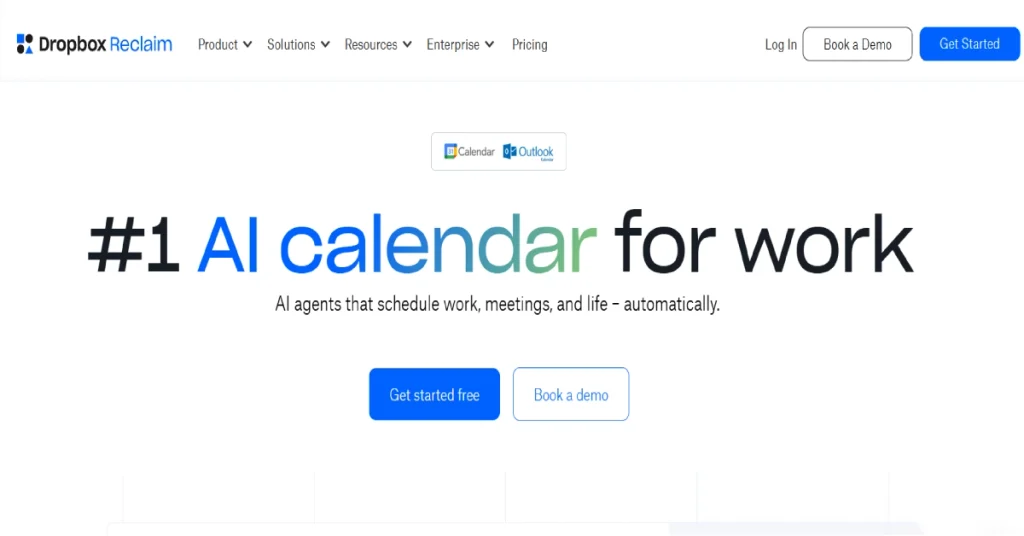
Reclaim AI is an intelligent scheduling platform that works with existing calendars and task management applications. It can automatically reserve time for tasks, recurring habits, meetings and focused work while adjusting flexible commitments when your schedule changes. The concept is straightforward, although getting the most from it requires more than connecting a calendar and expecting everything to work perfectly. You need to establish realistic working hours, task priorities and scheduling preferences. Once those rules are in place, Reclaim can take over some of the repetitive planning that would otherwise occupy part of your day.
The platform has also evolved considerably. Reclaim 2.0 introduces conversational calendar management through Reclaim Chat, scheduling agents and a preview system for reviewing proposed changes. These additions make the product more interesting for people who want assistance managing their time without handing over complete control of their calendar. Still, the existence of AI features doesn’t automatically make a scheduling tool worth paying for. Google Calendar already handles appointments, while Motion combines scheduling with project management. Reclaim needs to offer a meaningful advantage over those alternatives, particularly for people who already have an established productivity system.
What Is Reclaim AI?
Reclaim AI is an automated calendar and time management application that helps users schedule work around existing commitments. Rather than replacing Google Calendar or Outlook Calendar, it connects to supported calendars and adds scheduling intelligence. Users can create tasks, set deadlines, define recurring routines and establish how much time they want to protect for focused work. Reclaim then searches for suitable openings and creates flexible calendar blocks based on those preferences. If another commitment takes priority, the system can move eligible blocks to different times instead of leaving the user to rebuild the schedule manually.
The important difference between Reclaim and a conventional calendar is how it treats time. A traditional calendar event is generally fixed until someone changes it, even if the event represents work that could happen at another time. Reclaim allows certain activities to remain flexible. Suppose a designer needs two hours to prepare a presentation before Thursday afternoon. The designer can create a task with an estimated duration and deadline, allowing Reclaim to find appropriate working time. If a client meeting later occupies one of those periods, Reclaim can attempt to reschedule the remaining work without losing sight of the deadline. The software is not deciding whether the presentation matters. It is using the priorities and rules provided by the user to determine where that work can fit.
Reclaim was acquired by Dropbox in August 2024 and has continued to develop its scheduling platform. Its audience includes freelancers, remote workers, managers and teams that need to balance meetings with independent work. It is particularly relevant to people who already use a task manager but struggle to translate a growing task list into a realistic weekly calendar. Reclaim is not a replacement for managing projects, setting priorities or making difficult decisions about workload. Its main purpose is to reduce the effort involved in assigning time to those decisions.
How Does Reclaim AI Work?
Reclaim begins by connecting to a supported calendar and examining the availability already recorded there. During setup, users define their working hours, meeting preferences and the periods when different types of activities should be scheduled. This information matters because two empty calendar slots aren’t necessarily equally useful. A person might prefer focused work early in the morning, customer calls during the afternoon and personal routines outside normal working hours. Reclaim uses these preferences to decide where flexible activities belong instead of treating every unoccupied hour as interchangeable.
After configuring availability, users can create tasks and recurring habits or connect supported task management applications. Each task can include information such as its estimated duration, priority and deadline. Reclaim then places work into suitable calendar openings and adjusts eligible blocks when higher-priority commitments appear. A marketing manager preparing a campaign report, for example, might need three hours of writing time before Friday. If the week contains several meetings, Reclaim can help distribute the work into available sessions rather than requiring the manager to search manually for one uninterrupted three-hour period. The result is a calendar that includes both scheduled conversations and the work required between them.
This approach becomes more useful when plans change. If a meeting moves into a previously reserved task block, Reclaim can attempt to find another time for the affected work. The adjustment depends on the scheduling rules, the remaining availability and the relative priority of the commitments. It doesn’t mean every conflict can be resolved automatically. If someone has ten hours of work and only five hours available, Reclaim cannot create the missing time. What it can do is make the pressure on the schedule more visible and reduce the effort involved in rearranging flexible activities. That distinction is worth understanding before relying on the software for important deadlines.
What’s New in Reclaim 2.0?
Reclaim 2.0 represents a broader approach to calendar management than simply placing tasks into available time. One of its central additions is Reclaim Chat, a conversational assistant that lets users ask questions about their schedules and request changes using ordinary language. Instead of manually inspecting several days of appointments, someone can ask where a long focus session might fit or whether an upcoming meeting is creating a scheduling conflict. The assistant can examine the relevant calendar information and propose an arrangement based on the user’s preferences.
A particularly useful part of this experience is Preview Mode. Proposed scheduling changes can be reviewed before they are applied, giving users an opportunity to accept or reject the suggested arrangement. This is important because calendars involve commitments to other people. Moving an internal planning session may be harmless, while changing an appointment involving a customer could create confusion. A preview helps preserve human control over those decisions. Reclaim 2.0 also emphasizes scheduling agents that handle different categories of calendar activity, including focused work, habits, meetings and buffers. These features are designed to work together rather than requiring every activity to be managed through an entirely separate planning process.
For existing users, the practical value of Reclaim 2.0 will depend on how much time they already spend adjusting their calendars. Someone with a stable routine may notice only a modest improvement, while a manager with frequent changes could benefit from a quicker way to examine options. The updated interface also introduces another layer of automation that users need to understand. Before allowing a scheduling assistant to make important changes, it is sensible to learn which events can move, which commitments remain fixed and how the system interprets priorities.
Reclaim AI Features: What Can You Actually Do?
1. AI Task Scheduling
Task scheduling is one of Reclaim’s strongest features because it addresses a weakness found in many productivity systems. A to-do list can contain everything you need to complete, but it doesn’t necessarily show whether there is enough time to complete those tasks. Someone might have fifteen assignments in a task manager and a calendar filled with meetings, yet neither application clearly explains how the two fit together. Reclaim attempts to solve this by turning tasks into scheduled work sessions. It considers deadlines, priorities and estimated duration, then places suitable blocks into the calendar. Users can also divide longer tasks into smaller sessions when an uninterrupted block is unavailable.
Consider a freelance writer working on three articles for different clients. One article is due tomorrow, another requires research before the weekend and the third has a more flexible deadline. Without calendar planning, the writer may spend too much time on the easiest assignment and leave the urgent work until the last moment. Reclaim can help reserve time according to the information entered for each task, making the upcoming workload easier to see. The feature also works with supported task management integrations, which reduces the need to recreate every assignment manually. However, accurate estimates are essential. If the writer consistently labels four-hour assignments as one-hour tasks, the calendar will appear more manageable than the work actually is. Reclaim helps organize time, but it cannot compensate for unrealistic planning.
2. Focus Time for Uninterrupted Work
Many professionals struggle to find meaningful periods of concentration because meetings divide the day into short intervals. Thirty minutes between two calls might be enough to answer messages, but it is rarely ideal for writing a detailed report, designing a complex interface or investigating a technical problem. Reclaim’s Focus Time feature helps reserve longer periods for activities that require sustained attention. Users can establish focus goals and scheduling preferences, allowing the system to look for suitable blocks throughout the week. These blocks become visible in the calendar, making focused work a recognized commitment rather than something that happens only when meetings are finished.
This can be valuable for software developers, designers, researchers and writers, but the feature also has broader applications. A manager preparing a quarterly plan may need two uninterrupted hours that are otherwise difficult to defend. Reserving that time in advance can make it easier to avoid unnecessary meetings. The limitation is that calendar protection alone does not eliminate interruptions. Notifications, unexpected calls and unclear team expectations can still disrupt the session. Reclaim is most effective when users combine Focus Time with practical working habits, such as reducing notifications and communicating when they are unavailable for nonurgent requests.
3. Reclaim Chat and AI Calendar Assistance
Reclaim Chat makes scheduling more conversational by allowing users to ask questions and request changes without navigating every calendar setting manually. Someone might ask whether there is enough time to finish an important task before Friday or request a two-hour focus block during the next available morning. The assistant can examine the schedule and propose changes that reflect existing commitments. This is more convenient than searching through several calendar views, especially when availability is fragmented across multiple days.
The feature becomes more useful because suggestions can be reviewed before they take effect. A user might accept a proposed focus session but reject a change that interferes with a preferred meeting time. This approval-based approach offers a practical balance between automation and control. It is still important to check the result rather than assuming that every suggestion reflects the full context of your work. The assistant can use calendar information and configured preferences, but it may not know about an informal promise to a colleague or a deadline that hasn’t been recorded anywhere.
4. Smart Meetings
Recurring meetings are often more difficult to coordinate than one-time appointments. A weekly discussion may involve several colleagues whose availability changes from one week to the next. When conflicts appear, the organizer may spend time checking calendars, sending messages and finding another suitable slot. Reclaim’s Smart Meetings feature is designed to reduce that coordination work by scheduling recurring meetings according to participant availability and defined preferences. It can help move eligible meetings when conflicts arise instead of leaving the organizer to handle every adjustment manually.
The feature is particularly useful for one-on-one meetings, team check-ins and other recurring conversations that don’t always need to happen at an exact hour. A manager with several direct reports may benefit from having those meetings arranged around other commitments. However, scheduling flexibility should not become an excuse to move important discussions repeatedly. Some meetings are valuable because participants can rely on a consistent time. Smart Meetings works best when users establish sensible boundaries and distinguish genuinely flexible meetings from appointments that should remain fixed.
5. Habits and Recurring Activities
Reclaim’s Habits feature allows users to schedule recurring activities without requiring them to happen at exactly the same time every day. This is useful for routines that matter but can fit around changing commitments. A person might want to spend thirty minutes reviewing industry news each morning, dedicate several hours a week to professional development or reserve time for planning before the weekend. In a conventional calendar, these activities may remain fixed even when conflicts appear. Reclaim can instead look for appropriate time within the permitted scheduling window and adjust flexible habits when necessary.
The feature can make recurring activities easier to maintain, although the results depend on the priority assigned to each habit. If an activity is always less important than every meeting and task, it may be moved so frequently that the user stops treating it as a genuine commitment. On the other hand, giving every habit the highest priority can make the calendar unnecessarily rigid. The best approach is to identify which routines genuinely support your work and give them enough scheduling protection to remain useful without interfering with critical deadlines.
6. Scheduling Links
Reclaim includes scheduling links that let other people book appointments using your available calendar time. This overlaps with dedicated booking tools, but Reclaim’s scheduling system can consider the flexible activities already placed in your calendar. That matters because a task block and an external customer meeting may not have equal priority. Depending on the user’s settings, Reclaim can help offer meeting availability without treating every scheduled activity as permanently fixed. For consultants and freelancers who regularly arrange customer calls, this can reduce the time spent exchanging messages about suitable meeting times.
Scheduling links are most useful when the available hours reflect how someone actually wants to work. A consultant might allow new customer calls only during selected afternoons while protecting mornings for delivery work. Without those boundaries, an open booking page can gradually fill the calendar with meetings and leave too little time for completing projects. Reclaim can help manage the arrangement, but users still need to decide how much availability to offer and which appointments deserve priority.
7. Calendar Sync
Managing separate personal and work calendars can create scheduling conflicts, especially when other people can see only one of them. An employee might have a personal appointment recorded in one calendar while colleagues see an empty period in the work calendar. Reclaim’s Calendar Sync feature helps reflect occupied time across connected calendars so availability is more consistent. This can be useful for freelancers managing several client calendars or professionals who want personal commitments to be considered when work meetings are scheduled.
Privacy settings deserve attention because calendar events may contain sensitive information. In many situations, colleagues only need to know that a period is unavailable, not why it is unavailable. Users should review how synchronized events appear and whether details are shared before connecting calendars containing personal appointments. When configured carefully, Calendar Sync can reduce double-booking without requiring every appointment to be entered manually in several places.
8. Buffer Time and Breaks
A calendar filled with consecutive meetings can appear productive while leaving almost no time to prepare, record decisions or recover between conversations. Reclaim can schedule buffers around eligible events to create space for those activities. A short break after a customer call may provide enough time to update notes, while preparation time before a presentation can help someone review the material without rushing. These periods may seem minor, but they become valuable when meetings occupy a large part of the working day.
The right buffer length depends on the type of work. Someone attending short internal check-ins may not need the same preparation time as a consultant meeting an important customer. Excessive buffers can also reduce availability unnecessarily. The goal is to make the schedule more realistic, not to fill every empty period with another automated event. A few well-chosen buffers can be more useful than applying the same rule to every meeting.
9. Time Tracking and Calendar Analytics
Reclaim provides insights into how calendar time is distributed across different activities. Users can examine patterns involving meetings, tasks, habits and focused work to understand where their working hours are going. This can reveal problems that are difficult to notice during an individual day. A manager may discover that recurring meetings consume most of the week, while a freelancer might realize that administrative work regularly occupies time intended for client projects. Seeing those patterns can support better decisions about workload and meeting policies.
Calendar analytics should not be mistaken for a complete measure of productivity. Two hours spent in a meeting may produce an important business decision, while four hours reserved for focused work may not result in meaningful progress. The numbers are useful because they show how time is allocated, not because they prove the value of every activity. Teams should use these insights to identify scheduling problems rather than judge employees solely by how their calendars look.
10. Integrations With Productivity Applications
Reclaim supports integrations with several task and productivity applications, including Todoist, Asana, ClickUp, Jira, Linear, Google Tasks and Slack. These connections are important because most people already have established systems for managing assignments and communication. Reclaim is more useful when it can schedule work from those systems instead of requiring users to maintain a separate task list. For example, someone using Todoist to organize personal assignments can connect tasks to calendar planning, while a development team using Jira may benefit from seeing scheduled work alongside meetings.
Integration availability and limits vary by plan, so buyers should confirm the exact connection they need before subscribing. A supported integration may also have restrictions on which fields or actions it can synchronize. The most important question is not how many application logos appear on a website, but whether the tool supports the workflow you actually use. A single reliable connection to your main task manager may provide more value than several integrations that rarely become part of your routine.
Reclaim AI Pricing 2026: Free vs Paid Plans
Reclaim offers Lite, Starter, Business and Enterprise plans. The free Lite plan provides an opportunity to evaluate the scheduling experience without committing to a subscription, while paid plans expand scheduling capacity, planning windows, integrations and team-oriented features. The official pricing page displays Starter at $10 per seat per month, Business at $15 and Enterprise at $22 under the monthly pricing view. Annual billing options are also available, and the applicable checkout rate should be confirmed before purchase. Reclaim additionally advertises a 14-day trial of Business features for new users.
| Plan | Displayed monthly price | Main purpose |
|---|---|---|
| Lite | Free | Basic personal scheduling |
| Starter | $10 per seat | More scheduling capacity and integrations |
| Business | $15 per seat | Advanced scheduling for teams |
| Enterprise | $22 per seat | Larger organizations and administrative controls |
Pricing is only one part of the decision. A person who needs basic task scheduling may find Lite sufficient, while someone coordinating several calendars and recurring meetings could benefit from Starter. Business and Enterprise are more relevant when scheduling becomes an organizational concern rather than a personal productivity issue. Because the product continues to evolve, the official pricing page should be treated as the final source for current allowances and billing terms.
Is Reclaim AI Free Plan Enough?
Reclaim Lite is a genuine ongoing free plan rather than a short trial that stops working after a few days. It includes a limited number of scheduling agents, a one-week scheduling range, one calendar sync and one scheduling link. These restrictions make it suitable for people who want to explore automated scheduling without paying immediately. A freelancer managing a relatively simple week may be able to use the free tier to protect focused work and schedule essential activities around meetings.
The main limitations become apparent when someone needs to plan several weeks ahead or coordinate more complicated schedules. A one-week planning range may be enough for daily organization, but it offers less flexibility for projects with deadlines further into the future. The best reason to upgrade is discovering a specific limitation during regular use, not simply assuming that a paid plan must be better. If Lite already handles the tasks you need, there is little reason to purchase additional capacity.
Reclaim Starter: Who Should Upgrade?
Starter expands the planning range and provides more scheduling agents, calendar connections and scheduling flexibility. It is aimed at individuals and smaller teams whose workloads are too complicated for the free plan but do not require extensive enterprise controls. Someone managing several ongoing projects may benefit from being able to schedule tasks further ahead, while a consultant working with multiple calendars may appreciate the additional synchronization options. Broader integrations can also make the plan more useful when tasks originate in external applications.
At the displayed monthly rate of $10 per seat, Starter is relatively accessible compared with larger productivity suites. However, value depends on actual use. If the extra planning window helps prevent missed deadlines and reduces the time spent rearranging tasks, the subscription may be worthwhile. If most of the advanced features remain unused, Lite may still be the more sensible choice.
Reclaim Business and Enterprise
Business is intended for teams that need greater scheduling capacity and more advanced coordination. Its advertised allowances include a longer scheduling range, additional agents and expanded collaboration features. These capabilities can become relevant when several employees are managing competing meetings, deadlines and focus requirements. Rather than having everyone establish separate scheduling practices, an organization can use a more consistent approach to availability and calendar management.
Enterprise adds administrative and identity-management capabilities for larger organizations, including options such as single sign-on and user provisioning. These features are less relevant to individual users but can matter considerably when an IT department needs to manage access across many employees. Organizations considering Enterprise should verify the exact contractual terms, security requirements and onboarding arrangements with Reclaim before making a purchasing decision.
Reclaim AI vs Motion: Which Is Better?
Reclaim and Motion are frequently compared because both use automation to organize work around available time. However, they approach productivity from different directions. Reclaim primarily improves scheduling around the tools and calendars people already use. Motion offers a broader productivity environment that combines calendar scheduling with task and project management. That distinction matters because a person who already likes Todoist, Asana or ClickUp may not want to replace the entire task management system simply to improve calendar planning.
Reclaim is particularly attractive when the main problem is finding suitable time for existing commitments. Its Focus Time, Habits, Smart Meetings and Calendar Sync features are designed to balance work with a changing schedule. Motion places more emphasis on organizing projects and tasks within an integrated workspace, then using automation to determine when the work should happen. For teams that want tasks, project information and scheduling closely connected in one application, Motion may offer a more complete environment. For users who mainly want to protect time while keeping their current tools, Reclaim may require fewer changes to established habits.
| Feature | Reclaim AI | Motion |
|---|---|---|
| Automatic task scheduling | Yes | Yes |
| AI calendar planning | Yes | Yes |
| Dedicated Focus Time | Yes | Scheduling-based focus approach |
| Flexible recurring habits | Yes | Recurring task capabilities |
| Smart recurring meetings | Yes | Meeting scheduling capabilities |
| Scheduling links | Yes | Yes |
| Calendar synchronization | Yes | Calendar integrations |
| Built-in project management | Limited compared with Motion | Yes |
| Existing task manager integrations | Strong emphasis | Varies by workflow |
| Ongoing free plan | Yes | Primarily trial-based |
| Best suited for | Calendar optimization | Integrated task and project management |
Reclaim vs Motion Pricing
Reclaim’s free Lite plan is a meaningful advantage for people who want to test automatic scheduling without committing to a paid subscription. Its displayed Starter monthly rate is $10 per seat, while Motion’s official pricing page has advertised Pro AI from $19 per seat per month under annual billing and Business AI from $29 per seat per month under annual billing. These figures are not directly equivalent because the products include different capabilities and may use different billing periods. Comparing only the lowest advertised number can therefore be misleading.
The better approach is to examine which tools each product could replace. If you already have a task manager and only need intelligent scheduling, Reclaim may be the less expensive solution. If you need built-in project management and would otherwise purchase another application for that purpose, Motion’s broader functionality may justify the additional cost. The decision should be based on the complete workflow rather than treating both products as identical calendar applications.
Which One Should You Choose?
Choose Reclaim when you are satisfied with your existing productivity tools but struggle to find time for the work they contain. Its scheduling features can help make a crowded calendar more realistic without forcing you to reorganize every project. Choose Motion when you want tasks, projects and scheduling managed more closely together in one system. This may be especially useful for teams looking to consolidate several tools.
Neither product can solve poor prioritization or unrealistic deadlines on its own. The strongest option is the one that fits how you already work and reduces the amount of planning you need to do manually. For many independent professionals, Reclaim’s lighter scheduling-focused approach may be enough. Teams looking for a broader operating system for their work should examine Motion more closely.
Tactiq Review 2026: A Simple AI Notetaker That Actually Makes Sense?
Reclaim AI vs Google Calendar
Google Calendar is an excellent general-purpose calendar application. It handles appointments, invitations, recurring events and shared calendars without requiring users to learn a complicated productivity system. For people with predictable schedules, those capabilities may be entirely sufficient. Reclaim becomes more relevant when a calendar needs to reflect tasks and flexible priorities rather than just fixed appointments. Instead of manually creating and moving work blocks, users can provide scheduling preferences and allow Reclaim to find appropriate times.
The difference is most noticeable during unpredictable weeks. Someone who attends the same meetings every day and rarely changes plans may see little advantage from automation. A consultant whose appointments move regularly may benefit from having flexible tasks rearranged around those changes. Reclaim does not make Google Calendar obsolete. It adds a scheduling layer for people whose workload requires more active time management.
Reclaim AI vs Calendly
Calendly is primarily designed to simplify appointment booking. Users share scheduling links, and other people choose suitable meeting times without lengthy email exchanges. Reclaim includes scheduling links but also manages tasks, focus blocks, habits and other calendar activities. This makes it a broader time management tool rather than a dedicated booking application. A freelancer who only needs a reliable appointment page may find Calendly sufficient, while someone trying to balance client calls with delivery work may appreciate Reclaim’s additional scheduling capabilities.
The distinction becomes important when meeting availability competes with important tasks. A booking tool can help fill available appointment slots, but a scheduling platform also needs to consider the work that should occupy some of those hours. Reclaim’s value comes from helping coordinate those competing demands. It is not automatically the better choice for every booking workflow, particularly when a business needs specialized appointment features that extend beyond general calendar management.
Who Should Use Reclaim AI?
Freelancers and Consultants
Freelancers often manage client communication, project delivery, administrative work and business development without dedicated scheduling support. A typical week may contain several customer calls, changing deadlines and work that requires uninterrupted attention. Reclaim can help reserve time for deliverables before the calendar becomes crowded with meetings. Scheduling links can also reduce the effort involved in arranging calls, while Calendar Sync may help prevent conflicts between personal commitments and client work.
The value is strongest when the freelancer has enough recurring work to justify automated planning. Someone managing a handful of predictable appointments may not need anything beyond a conventional calendar. A consultant balancing several active clients is more likely to benefit from flexible task scheduling and protected focus blocks.
Remote Employees
Remote workers often experience meeting-heavy schedules because collaboration happens through video calls and messaging applications. Even when working from home, finding a suitable period for concentrated work can become difficult. Reclaim’s Focus Time and Buffer Time features can help reserve space for individual responsibilities while leaving room for necessary collaboration. This can be particularly useful for employees who have some control over when meetings are scheduled.
The software cannot eliminate a workplace culture that expects immediate responses to every message. Protected calendar time becomes more effective when colleagues understand and respect it. Reclaim can support healthier scheduling practices, but those practices still depend on the people involved.
Managers and Team Leaders
Managers frequently divide their time between meetings, employee support and individual responsibilities. A calendar filled with one-on-one discussions and project updates can leave little room for planning or reviewing important work. Reclaim’s Smart Meetings and Focus Time features can help balance these demands, while calendar analytics may reveal patterns worth discussing with the team. The ability to adjust recurring meetings can also reduce routine coordination when availability changes.
However, managers should avoid treating automated scheduling as a substitute for thoughtful leadership. Some conversations require consistent timing and personal attention, even when another arrangement appears more efficient. Reclaim is most useful when it supports those decisions rather than determining them entirely.
Students and Independent Learners
Students can use Reclaim to reserve study sessions, assignment time and recurring learning activities around classes and other commitments. Flexible scheduling may help when deadlines overlap or a planned study period becomes unavailable. The free plan provides an accessible starting point, although its limited planning range may not suit every academic schedule. Students with simple timetables may find ordinary calendar reminders sufficient, while those balancing study with part-time work or several demanding projects may benefit from more structured time blocking.
Reclaim AI Pros and Cons
| Pros | Cons |
|---|---|
| Ongoing free plan | Free scheduling capacity is limited |
| Automatic task scheduling | Requires accurate task estimates |
| Dedicated Focus Time | Initial setup takes attention |
| Flexible recurring habits | Lower-priority blocks can move frequently |
| AI calendar assistance | Suggestions still need review |
| Smart Meetings | Complex coordination can require configuration |
| Calendar Sync | Privacy settings need careful checking |
| Task manager integrations | Some integrations require paid plans |
| Useful calendar analytics | Calendar data doesn’t measure actual productivity |
| Works with existing calendars | Not a full project management replacement |
What Reclaim AI Does Well
Reclaim’s biggest strength is treating focused work as something that deserves space on the calendar. Many productivity systems are excellent at collecting tasks but leave users to decide when those tasks will happen. Reclaim helps close that gap by connecting deadlines and priorities to actual available time. This can make a busy week easier to understand, particularly when meetings frequently interrupt the original plan. The system’s flexibility is also valuable because it recognizes that not every calendar commitment needs to remain fixed.
Another advantage is that users can keep familiar productivity applications. Someone who has spent years organizing work in Todoist or Asana may not want to rebuild that system inside a new product. Reclaim can complement those tools by helping schedule the work they contain. The addition of conversational scheduling and reviewable changes in Reclaim 2.0 makes the experience more accessible, although the real benefit still depends on how well the software fits a user’s everyday routine.
Where Reclaim AI Falls Short
The main limitation is that automated scheduling requires accurate information. If tasks are missing, deadlines are unrealistic or priorities are poorly defined, Reclaim cannot produce a reliable plan. It may organize the available information efficiently while still creating a schedule that doesn’t reflect the user’s real workload. People who dislike maintaining task estimates and scheduling preferences may also find the initial configuration more demanding than expected.
Reclaim is not designed to replace a comprehensive project management platform. Teams that need detailed project dependencies, document collaboration and extensive workflow management may still require other applications. There is also a risk of becoming overly focused on calendar optimization. A perfectly arranged schedule is not necessarily a productive one, especially if the underlying commitments are unnecessary. Reclaim works best when it supports clear priorities and realistic workloads rather than encouraging users to fill every available hour.
Is Reclaim AI Worth It in 2026?
Reclaim is worth considering if you regularly move tasks around meetings, struggle to protect focused work or maintain several calendars that frequently conflict. Its free plan makes it possible to evaluate the basic scheduling experience without a financial commitment, and the paid tiers offer additional flexibility for users with more demanding workloads. The strongest reason to upgrade is discovering that the software consistently reduces the time spent planning and rearranging work. Features that sound impressive in a comparison table matter much less if they don’t solve a recurring problem.
The platform is less compelling for people with predictable schedules or those who prefer to plan every task manually. It also may not be the best choice for organizations seeking an all-in-one project management system. Reclaim is most valuable as a scheduling layer that helps existing tools work together more effectively. Users who understand that distinction are more likely to judge the product fairly and choose an appropriate plan.
Final Verdict
Reclaim AI is a practical calendar automation tool that helps users make room for important work without constantly rearranging their schedules. Its task scheduling, Focus Time, Habits, Smart Meetings and Calendar Sync features address problems that appear in many professional working weeks. Reclaim 2.0 adds a more conversational planning experience, allowing users to examine possible scheduling changes before applying them. Together, these capabilities make the platform a useful option for people whose calendars change frequently.
The software still requires sensible setup, realistic task estimates and occasional review. It cannot create additional working hours or decide which business commitments should be abandoned. For individuals and teams that already have a task management system and primarily need better control over their time, Reclaim offers a focused alternative to broader productivity platforms.
Frequently Asked Questions
Is Reclaim AI free?
Yes. Reclaim offers an ongoing Lite plan with basic scheduling features and limited capacity. It is suitable for trying automatic time blocking before subscribing.
How much does Reclaim AI cost?
The official pricing page displays Starter at $10, Business at $15 and Enterprise at $22 per seat per month in its monthly pricing view. Annual billing options may offer different effective rates.
Is Reclaim AI better than Motion?
Reclaim is often a better fit for people who want intelligent scheduling alongside their existing productivity tools. Motion is more suitable when built-in project and task management are also priorities.
Does Reclaim work with Google Calendar?
Yes. Reclaim supports Google Calendar and Outlook Calendar, allowing users to organize flexible work around existing calendar commitments.
Can Reclaim automatically schedule tasks?
Yes. It can place tasks into available calendar periods using deadlines, priorities, estimated duration and scheduling preferences.
Does Reclaim AI have a free trial?
Reclaim advertises a 14-day trial of Business features for new users. It also provides an ongoing free Lite plan.
Can Reclaim schedule recurring meetings?
Yes. Smart Meetings helps coordinate recurring meetings using participant availability and scheduling preferences.
Does Reclaim integrate with Todoist and Asana?
Yes. Reclaim supports integrations with Todoist, Asana and several other task management applications. Available functionality can depend on the plan.