
AI coding assistants have become a regular part of software development. Developers use them to understand unfamiliar code and fix bugs or handle repetitive changes that would otherwise take hours. Some tools focus on suggesting the next line of code. Others go further by reading entire projects and carrying out tasks across multiple files. Roo Code belonged to the second group and became popular with developers who wanted more control over how an AI agent worked inside Visual Studio Code.
What made Roo Code interesting was its flexibility. Developers could connect different AI models instead of relying on a single provider. They could also choose specialized modes for planning or debugging and decide which actions the agent was allowed to perform. This made the extension appealing to people who wanted to experiment with autonomous coding without moving to an entirely different editor.
There’s an important development that changes this review. Roo Code officially shut down on May 15, 2026. Its original VS Code extension is no longer maintained and the company also discontinued Roo Code Cloud and Router. The software’s history is still worth examining because its approach influenced the AI coding ecosystem. But anyone considering it today needs to understand the risks of using an unsupported extension.
In this Roo Code review, we’ll examine the features that made the product popular and explain how its pricing worked. We’ll also look at the shutdown and discuss which alternatives make more sense for developers in 2026.
What Is Roo Code?
Roo Code was an open-source AI coding agent designed to work directly inside Visual Studio Code. Originally developed as a fork of Cline, it allowed developers to describe programming tasks in natural language and have an AI model work through the required steps. Unlike a basic autocomplete tool, Roo Code could read project files and propose changes across a codebase. With the necessary permissions, it could also execute terminal commands and use external development tools.
The extension supported several working modes that separated different types of tasks. Developers could use Architect mode to plan changes before implementing them or switch to Debug mode when investigating a problem. Code mode handled implementation work, while Ask mode focused on answering questions about a project. Custom modes allowed users to create more specialized workflows based on their own requirements.
Roo Code’s original extension was free and open source under the Apache 2.0 license. Users generally connected their own AI model provider and paid for the computing resources consumed by that model. The company later introduced cloud services and a model router, but those products were also discontinued in May 2026. The official project now directs users toward actively maintained alternatives rather than encouraging new installations.
Roo Code at a Glance
| Detail | Information |
|---|---|
| Product Name | Roo Code |
| Developer | Roo Code Inc. |
| Category | AI Coding Agent |
| Platform | Visual Studio Code |
| Original License | Apache 2.0 |
| Extension Price | Free before shutdown |
| AI Model Costs | Provider-dependent |
| Code Generation | Yes |
| File Editing | Yes |
| Terminal Access | Yes |
| Custom Modes | Yes |
| MCP Support | Yes |
| Local Models | Supported |
| Current Status | Discontinued |
| Shutdown Date | May 15, 2026 |
| Recommended Successors | ZooCode and Cline |
What Happened to Roo Code in 2026?
Roo Code’s shutdown is the most important detail for anyone researching the product today. The company announced that its original extension and cloud services would stop operating on May 15, 2026. The decision included Roo Code Cloud and Roo Code Router along with the VS Code extension. According to the official announcement, unused balances would be refunded and the extension repository would be archived. The company also provided a billing contact for former customers who needed assistance.
The announcement explained that the team wanted to pursue a different direction rather than continue developing the original IDE-based coding product. The company’s next project is Roomote, which focuses on cloud coding agents. Although Roomote comes from the same team, it should not be treated as simply another subscription tier of the original Roo Code extension. It is a separate product with a different approach to development workflows.
An important distinction is that discontinued software does not necessarily disappear from every computer immediately. Developers who already installed Roo Code may still have a functioning copy. The extension also remained visible through its marketplace listing after the shutdown. But a working installation is not the same as an actively supported product. Without ongoing maintenance, compatibility problems and security issues may become harder to resolve as AI providers and development environments change.
Roo Code Features: What Made It Popular?
1. AI-Powered Code Generation and Editing
Roo Code could generate code from ordinary language instructions. A developer might describe a new feature or ask the agent to modify an existing component. The extension would examine relevant files and use the connected language model to propose the necessary changes. This was useful for tasks involving more than a single function because the agent could work across several parts of a project rather than returning an isolated code example.
For example, a developer building a web application could ask Roo Code to add a contact form with validation. Depending on the project and permissions, the agent could inspect the existing structure and create or modify the relevant files. It could also help update related components and documentation. The developer still needed to inspect the result and confirm that it matched the application’s requirements. Roo Code was designed to perform substantial work, but it was never a guarantee of correct or production-ready code.
This ability to work directly with project files helped distinguish Roo Code from traditional chat-based coding assistants. Instead of copying generated snippets between a browser and an editor, developers could keep much of the workflow inside VS Code. That convenience remains attractive today, although actively maintained tools now provide similar capabilities.
2. Specialized Coding Modes
One of Roo Code’s most recognizable features was its system of specialized modes. Code mode was intended for implementation and file editing. Architect mode focused on planning and technical design, while Ask mode helped users understand unfamiliar code. Debug mode provided a more systematic approach to investigating errors. Developers could move between these modes according to the work they were doing.
The separation was useful because writing code and planning software are not always the same task. A developer might want to explore several possible approaches before allowing an agent to edit files. Architect mode provided a way to think through the structure of a change first. Once the plan was clear, Code mode could handle implementation. This made it easier to keep complex tasks organized instead of asking a single general-purpose assistant to do everything at once.
Roo Code also supported custom modes. Teams could create instructions for particular responsibilities and restrict which tools a mode could use. For example, a documentation-focused mode might be configured differently from one responsible for editing application code. This flexibility appealed to experienced developers, but it also required thoughtful configuration. Poorly designed modes could introduce unnecessary complexity without improving the results.
3. Support for Multiple AI Models
Roo Code did not require developers to use one particular AI model. Its model-agnostic design allowed users to connect providers such as Anthropic and OpenAI through supported integrations. It also worked with routing services such as OpenRouter. This gave developers the freedom to experiment with different models and choose an option that matched their budget or programming needs.
That flexibility mattered because coding models differ in their strengths and operating costs. One model might be useful for quick explanations, while another could perform better on complicated changes involving several files. Developers could switch providers rather than waiting for the extension’s developer to adopt a new model as the default. The tradeoff was that users needed to understand API keys and token-based billing.
The same flexibility could also make expenses unpredictable. A complicated task that repeatedly reads large files may consume far more tokens than a short request. Developers who enabled extensive autonomous workflows needed to monitor their provider’s usage. The extension itself was free, but that did not necessarily mean running it would cost nothing.
4. Local AI Model Support
Roo Code supported local language models through tools such as Ollama and LM Studio. This allowed developers with suitable hardware to run compatible models on their own machines instead of sending every request to a hosted API provider. For some users, that offered more control over where project information was processed.
Local models could also be useful for experimentation. A developer could test a coding workflow without paying a hosted provider for every request. running models locally required enough computing resources, and performance varied significantly between models and hardware configurations. A smaller local model might handle straightforward questions but struggle with a complicated multi-file refactoring task.
Local processing did not automatically make every workflow private or secure. Roo Code could still interact with files and tools, and any external integrations needed separate consideration. Developers had to understand what the agent was allowed to access. Those concerns remain relevant when evaluating modern open-source coding assistants.
5. Terminal Commands and File System Access
Roo Code could interact directly with the local file system and execute terminal commands when authorized. This made it more capable than an assistant that only suggested code. It could potentially inspect project files and run tests or perform development commands as part of a larger task.
Imagine asking an agent to investigate why a test suite had started failing. Rather than simply suggesting possible causes, Roo Code could inspect the project and run relevant commands. It could then use the results to propose changes. This reduced some of the repetitive work involved in switching between the editor and terminal during debugging.
Terminal access introduced meaningful risks. A poorly understood command could delete files or alter the development environment. Roo Code included approval controls so users could review actions before execution. It also offered automatic approval settings for people who wanted less interruption. That convenience required caution, especially when working with important repositories or sensitive information.
6. Model Context Protocol Integration
Roo Code supported the Model Context Protocol, commonly known as MCP. This allowed the agent to communicate with compatible external tools and services. Instead of being limited to the files currently open in VS Code, the agent could use additional capabilities made available through configured MCP servers.
For developers, MCP opened the door to more customized workflows. An agent might be connected to a tool that retrieves documentation or provides access to another development service. This could reduce the need to manually collect information before every task. The usefulness of an integration depended on the quality of the MCP server and the permissions granted to it.
The downside was that additional tools also increased the agent’s potential access. A coding assistant with permission to modify files is already powerful. Connecting it to external services introduces further security considerations. Users needed to review each server and understand which operations it exposed before allowing the agent to use it.
Reflection AI Review 2026: Features, Pricing, Benchmarks & Is It Worth It?
7. Orchestrator and Multi-Step Workflows
Roo Code included an Orchestrator mode intended for coordinating more complex tasks. Instead of treating every request as one continuous operation, the agent could divide work into smaller activities and delegate them to suitable modes. This approach was particularly interesting for developers working on larger projects where planning and implementation required different types of reasoning.
Consider a request to add a new authentication workflow. The task might involve understanding the existing architecture and updating backend logic before changing the user interface and preparing tests. A coordinated workflow could separate these responsibilities rather than attempting everything in one step. This helped make complex requests more manageable, although the final results still required review.
The main challenge was reliability. Dividing work between modes did not guarantee that the resulting changes would fit together correctly. Agents could misunderstand requirements or make assumptions that conflicted with the existing codebase. Roo Code’s Orchestrator showed why multi-agent coding was becoming interesting, but it also demonstrated why human oversight remained necessary.
Roo Code Pricing 2026: Is It Still Free?
Roo Code’s original VS Code extension was free to install and use. It was distributed as open-source software under the Apache 2.0 license, which meant developers did not need to purchase a subscription simply to access the extension. However, most users still needed an AI model provider. When using a commercial model through an API, the provider generally charged according to the amount of processing performed.
This created a different pricing experience from coding assistants with a fixed monthly subscription. A developer using a low-cost model for occasional tasks might spend relatively little. Someone running complicated workflows with a premium model could spend considerably more. Roo Code also supported local models, which could avoid hosted inference charges but required suitable hardware and electricity.

As of October 2026, the original Roo Code services no longer offer active subscription plans. Roo Code Cloud and Router were shut down on May 15. Any historical prices found in older reviews should not be presented as current offers. Roomote is a separate successor product and its subscription pricing should not be confused with Roo Code’s discontinued services.
| Product or Cost | Status in October 2026 |
|---|---|
| Roo Code VS Code Extension | Discontinued |
| Original Extension Subscription | Previously free |
| External AI Model API | Provider-dependent |
| Local Models | Previously supported |
| Roo Code Cloud | Shut down |
| Roo Code Router | Shut down |
| Current Official Paid Plans | None |
| Billing Support | billing@roocode.com |
Roo Code Pros and Cons
Roo Code’s biggest strength was the amount of control it gave developers. Its open-source foundation and model flexibility allowed users to experiment with different AI services. Specialized modes also provided a practical way to separate planning from implementation. These features made the extension attractive to developers who wanted an agent that could participate in real coding workflows rather than simply complete lines of text.
The biggest disadvantage in 2026 is no longer a missing feature. It is the lack of official maintenance. An unsupported extension that can read files and execute commands creates risks that developers should take seriously. Even if an existing installation continues to work, there is no assurance that it will remain compatible with future editor updates or model APIs.
| Pros | Cons |
|---|---|
| Free and open-source extension | Officially discontinued |
| Multiple AI provider support | No ongoing official maintenance |
| Specialized coding modes | API costs could vary significantly |
| Custom modes and project rules | Required configuration knowledge |
| Local model support | Local performance depended on hardware |
| Terminal and file access | Powerful permissions introduced risks |
| MCP integrations | External integrations required careful review |
| Multi-step task orchestration | Complex tasks still needed human oversight |
Roo Code vs Cline vs ZooCode
Cline is one of the most relevant alternatives because Roo Code originally developed from the Cline project. Both tools follow the idea of an AI coding agent operating inside a development environment. They support workflows that go beyond autocomplete and can help developers work through changes involving multiple files. Cline remains an actively developed option and is one of the replacements recommended in Roo Code’s official shutdown documentation.
ZooCode is another important alternative because it was created as a community continuation of the Roo Code project. Developers who liked Roo Code’s interface and working modes may find a familiar approach in the community fork. However, they should still examine the current project’s maintenance activity and security practices before migrating. A community continuation is not automatically identical to the original product.
For developers who prefer a more integrated commercial editor, Cursor and other AI-first coding environments are also worth considering. These products approach coding assistance differently and may offer a simpler setup for users who don’t want to configure API providers manually. The right replacement depends on whether you value open-source flexibility or a managed subscription experience.
| Tool | Main Approach | Best For |
|---|---|---|
| Roo Code | Discontinued VS Code agent | Historical reference only |
| Cline | Actively maintained open-source coding agent | Developers wanting a supported extension |
| ZooCode | Community continuation of Roo Code | Former Roo Code users |
| Cursor | AI-first code editor | Developers wanting an integrated experience |
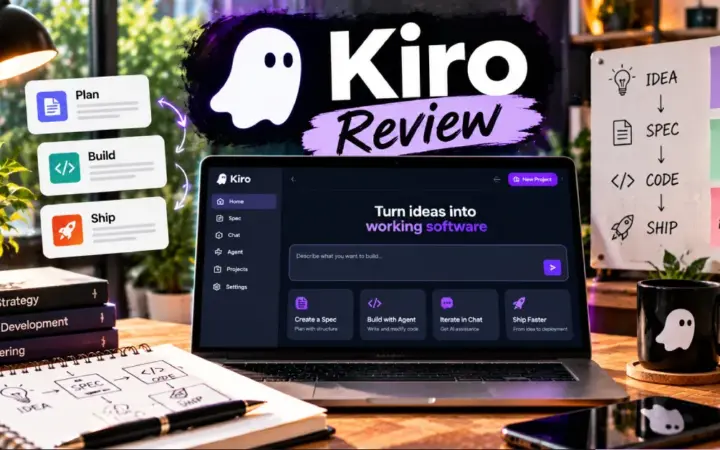
| Kiro | Spec-driven AI development | Teams prioritizing structured implementation |
Who Should Use Roo Code in 2026?
For developers looking for a new AI coding assistant, Roo Code is no longer a practical first choice. Its original extension has been discontinued and the company is not releasing regular updates for it. Even if an archived build remains available, installing unsupported software with access to project files and terminal commands introduces unnecessary risk. There are now actively maintained alternatives that offer many of the same capabilities.
Existing Roo Code users have a slightly different decision to make. If the extension is still part of an established workflow, it may be useful to document the current configuration before migrating. This includes recording which AI providers are connected and which custom modes or project instructions are important. Moving to a supported alternative gives developers an opportunity to review permissions and remove integrations they no longer need.
Roo Code also remains relevant to developers interested in the history of agentic programming tools. Its specialized modes and flexible provider integrations helped demonstrate what an AI assistant could do inside an editor. The project is worth studying for those ideas, but that is different from recommending the original software for new production work.
Is Roo Code Safe to Use After Shutdown?
Using an unsupported coding extension deserves careful consideration because of the permissions such software may have. Roo Code was designed to read project files and run commands when authorized. Those capabilities are useful during development, but they also mean that security vulnerabilities or compatibility problems can have serious consequences. Without official maintenance, newly discovered issues may not receive patches.
Developers who still have Roo Code installed should review its permissions and avoid granting unnecessary automatic approval. They should also examine any connected API credentials and external MCP servers. Important work should remain under version control so unexpected changes can be reviewed or reversed. These precautions reduce risk but do not replace ongoing software maintenance.
For professional projects, moving to an actively maintained tool is the more sensible long-term option. A supported product is not guaranteed to be free of vulnerabilities, but it is more likely to receive updates when problems are discovered. That matters particularly for businesses working with private repositories and customer information.
Best Roo Code Alternatives in 2026
Cline
Cline is a natural starting point for developers who want an open-source coding agent inside VS Code. It shares historical roots with Roo Code and offers agentic workflows for editing files and working through programming tasks. Developers who are comfortable configuring AI providers may find the transition relatively familiar.
The main advantage is that Cline continues to be maintained. Users can evaluate current releases and documentation instead of depending on an archived project. It is particularly suitable for developers who want to keep their existing editor while using AI for more substantial coding tasks.
ZooCode
ZooCode is a community fork created by developers interested in continuing the Roo Code experience. It may be especially attractive to people who invested time in Roo Code’s modes and configuration system. A familiar workflow can reduce the effort involved in switching tools.
users should review ZooCode’s current development activity and release history before adopting it. Community projects can be excellent alternatives, but their long-term reliability depends on active maintainers and responsible security practices.
Cursor
Cursor takes a different approach by providing a dedicated AI-first coding editor. Instead of configuring a separate extension for every major workflow, users get an integrated environment built around AI-assisted development.
This may appeal to developers who prefer convenience over extensive customization. Cursor also offers agentic capabilities, although its pricing and workflow differ from Roo Code’s original bring-your-own-model approach. Developers should compare the current subscription and usage conditions before deciding.
Frequently Asked Questions
Is Roo Code discontinued in 2026?
Yes. Roo Code officially shut down its original VS Code extension and related Cloud and Router services on May 15, 2026. The extension repository was archived and the company no longer maintains the original product. Developers looking for a supported alternative are directed toward Cline and the community-created ZooCode fork.
Is Roo Code still free?
The original Roo Code extension was free and open source under the Apache 2.0 license. However, it is no longer an actively maintained product. Developers who used commercial AI models also paid their chosen provider for API usage. There are no current official subscription plans for the discontinued Roo Code services.
Can I still install Roo Code?
Archived builds and marketplace listings may remain accessible, but availability does not mean the extension is supported. Installing an outdated coding agent can introduce security and compatibility concerns. New users should generally choose an actively maintained alternative instead.
What is the best alternative to Roo Code?
Cline and ZooCode are the two alternatives identified in Roo Code’s official documentation. Cline is a suitable option for developers wanting an actively maintained open-source agent. ZooCode may appeal to former Roo Code users who want a more familiar experience. Cursor is another option for those who prefer a dedicated AI editor.
Does Roo Code support local AI models?
The original extension supported local models through tools such as Ollama and LM Studio. This allowed users with compatible hardware to perform some tasks without sending requests to a commercial hosted model. Since Roo Code is discontinued, developers interested in local inference should check which actively maintained alternatives currently support their preferred setup.
What happened to Roo Code Cloud?
Roo Code Cloud was shut down on May 15, 2026 along with Roo Code Router. The company announced refunds for unused balances. Former customers with billing questions can contact the address listed in the official shutdown notice.
Final Verdict
Roo Code was an influential open-source AI coding agent that offered developers a flexible way to work with language models inside VS Code. Its support for multiple providers and specialized modes made it more adaptable than many early coding assistants. It also demonstrated how AI could move beyond generating snippets and begin participating in multi-step development work.
the shutdown changes the recommendation. A coding extension that can modify files and execute commands needs ongoing maintenance. The original Roo Code no longer receives that support, and its related cloud services are unavailable. For developers starting a new project, the advantages of its historical features do not outweigh the risks of relying on discontinued software.
Our verdict
Roo Code is worth remembering for its contribution to agentic coding, but it is not recommended as a new installation in October 2026. Developers who want a similar open-source experience should investigate Cline or ZooCode. Those interested in a more integrated commercial editor can compare alternatives such as Cursor.
Editorial note: This review is based on official Roo Code documentation and its shutdown announcement as of October 22, 2026. It does not claim independent hands-on testing.

1 comment