
Keyword research is rarely the hardest part of SEO. The real challenge comes afterward, when you’re staring at a spreadsheet containing hundreds of keywords and trying to decide what to do with them.
Which keywords deserve their own pages? Which ones should be covered together? And how do you turn all that research into a content plan without creating several articles that compete for the same search terms?
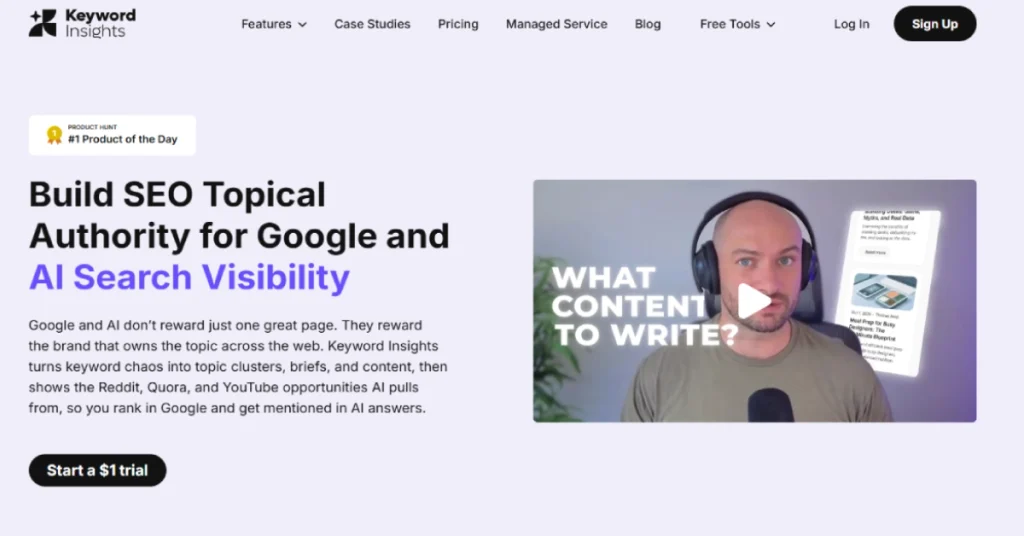
Keyword Insights is built to solve those problems. Instead of focusing only on finding keywords, it helps you organize them into topics, understand search intent and create content briefs. It also includes AI writing tools, so the workflow can continue from research into content production.
That makes it interesting for bloggers, SEO agencies and businesses building a large library of content. But with paid plans starting at $58 per month, it’s not an inexpensive tool for someone publishing only a few articles. In this Keyword Insights review, we’ll look at what the platform does well, where it falls short and whether its features justify the subscription.
What Is Keyword Insights?
Keyword Insights is an SEO research and content planning platform that helps users turn keyword lists into organized content strategies.
Its best-known feature is keyword clustering. Rather than grouping phrases simply because they contain similar words, Keyword Insights compares search engine results to determine whether multiple keywords could realistically be targeted on the same page.
someone researching air purifiers might find phrases such as best air purifier for bedrooms and quiet air purifier for sleeping. If search results show that these queries are commonly answered by the same pages, combining them into one article may make more sense than publishing two competing posts. The platform goes beyond clustering. It offers keyword discovery, search intent classification, topical mapping, content briefs and AI writing assistance. The aim is to help users plan what to publish before spending time writing.
Keyword Insights at a Glance
| Detail | Information |
|---|---|
| Official Website | https://www.keywordinsights.ai/ |
| Category | SEO and Content Planning |
| Starting Price | $58/month |
| Free Plan | No permanent free subscription |
| Trial | $1 for 7 days |
| Keyword Clustering | Yes |
| Search Intent Analysis | Yes |
| Content Brief Generator | Yes |
| AI Writing Assistant | Yes |
| AI Writer Agent | Yes |
| Google Search Console Import | Yes |
| API Access | Available |
| Team Collaboration | Available |
What Makes Keyword Insights Different?
Plenty of SEO platforms can provide keyword suggestions and search volume estimates. Keyword Insights is more focused on helping users decide how those keywords should fit together.
That distinction matters because publishing more articles isn’t always the best way to grow a website. If several pages target nearly identical searches, they may overlap instead of strengthening the site’s coverage. Keyword Insights uses search result similarities to suggest which terms belong together. You can then review those groups and decide which articles to create.
The platform also connects this research to content briefs and writing tools. For a content team, that means fewer disconnected steps between finding an opportunity and preparing an article. The tradeoff is that it doesn’t replace every SEO tool. Businesses that need extensive backlink analysis or technical site auditing may still need another platform.
Keyword Insights Key Features
1. Keyword Discovery
Keyword Insights helps users find keyword ideas from sources including Google Autocomplete, Reddit, Quora and Google’s People Also Ask results.
This is useful when you’re researching a topic but don’t yet know which questions people are asking. Rather than starting with a large list of generic terms, you can explore more specific phrases that reflect actual search interests. someone planning a blog about home water filtration could research questions about hard water, fluoride removal and filter maintenance. The resulting ideas could become individual articles or sections within broader guides.
The discovery tool also supports search volume information, although volume estimates should always be treated as directional rather than exact visitor predictions.
2. SERP-Based Keyword Clustering
Keyword clustering is the platform’s standout feature.
Keyword Insights compares search engine results for different phrases and groups keywords that appear to share the same search intent. This helps users decide whether a topic needs one comprehensive article or several separate pages.
Consider these keywords:
- Best air purifier for pets
- Air purifier for pet hair
- Best air purifier for cat dander
The phrases are related, but that doesn’t automatically mean they belong on the same page. Keyword Insights examines search results to help identify the appropriate grouping.
This is particularly valuable when working with hundreds or thousands of keywords. Manually reviewing search results for every phrase would take considerable time. Clustering recommendations aren’t final decisions. You should still check important groups, especially when product types or search intent differ.
3. Search Intent Classification
Not everyone searching Google wants the same thing. Some people want an explanation, while others are comparing products or preparing to buy. Keyword Insights can classify search intent, helping users understand the kind of content a query may require.
For instance, “what is keyword clustering” calls for an educational article. “Keyword Insights pricing” suggests someone wants subscription information, while “Keyword Insights vs Semrush” points toward a comparison.
Understanding that difference helps avoid creating the wrong page for a keyword.
Search intent analysis can consume additional credits, so users working with large keyword lists should check the expected cost before processing everything.
4. Topical Clusters and Content Planning
Keyword clusters are useful individually, but a website also needs an overall content structure.
Keyword Insights includes topical clustering, which identifies relationships between groups of keywords. This helps users see how individual articles fit into a broader subject. A website about SEO software, for example, might build a main category around keyword research tools. Supporting articles could cover keyword clustering, content optimization and individual product reviews.
This approach makes it easier to plan internal links and identify subjects the site hasn’t covered. It’s worth remembering that topical coverage alone doesn’t guarantee search rankings. Content quality, competition and website authority still matter.
5. AI Content Brief Generator
Once you’ve selected a keyword cluster, Keyword Insights can help prepare a content brief.
The tool examines leading search results and extracts relevant headings and topics. It also incorporates questions from sources such as Reddit, Quora and People Also Ask.
This gives writers a useful starting point. Instead of opening ten competitor articles and manually collecting ideas, they can review the information in one workspace. The brief builder also allows editing, so you’re not restricted to the AI-generated outline.
For agencies managing several writers, this can help maintain consistency. However, a strong brief should still include original expertise and a clear reason for readers to choose your article over competing pages.
6. AI Writing Assistant
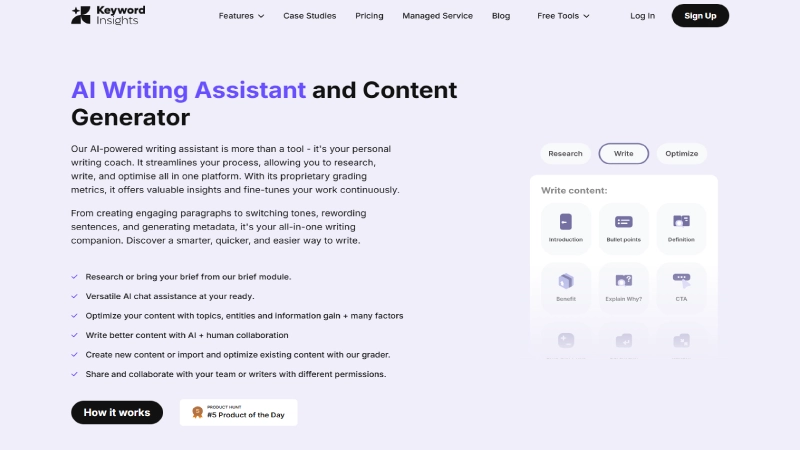
Keyword Insights includes an AI writing assistant for drafting and improving content. It can help generate sections, rewrite paragraphs and create metadata. The editor also provides optimization feedback based on factors such as topical coverage, keyword usage and readability.
The useful part is having research and writing tools in the same environment. You can move from a content brief into the editor without rebuilding your outline elsewhere. Still, AI-generated writing needs attention. A tool can produce a grammatically correct article that doesn’t add much value. Writers should verify facts, remove repetitive language and include information based on real experience or reliable sources.
7. AI Writer Agent
The AI Writer Agent takes automation further. It can research a topic, examine competing content and generate an article draft with less step-by-step guidance.
In January 2026, Keyword Insights added support for turning custom content briefs into AI Writer Agent articles. This gives users more control over structure before generating a draft. The feature may be useful for teams preparing large amounts of content, but it shouldn’t be treated as a guaranteed way to produce publish-ready articles.
For product reviews in particular, pricing and feature claims need checking against official sources. An AI-generated draft cannot substitute for genuine product testing.
8. Google Search Console and Competitor Insights
Keyword Insights supports importing keyword information from Google Search Console, allowing users to connect content planning with searches their website already appears for.
This can help identify topics where a site has some visibility but could benefit from improved content. The platform also provides competitor-related information and ranking insights. These are useful for prioritizing content opportunities, although they shouldn’t be mistaken for complete competitive intelligence. In an August 2026 update, Keyword Insights added visibility into sources cited by Google AI Overviews within its SERP Analyzer. This gives SEO teams another way to study how their topics appear in AI-generated search experiences.
Keyword Insights Pricing 2026
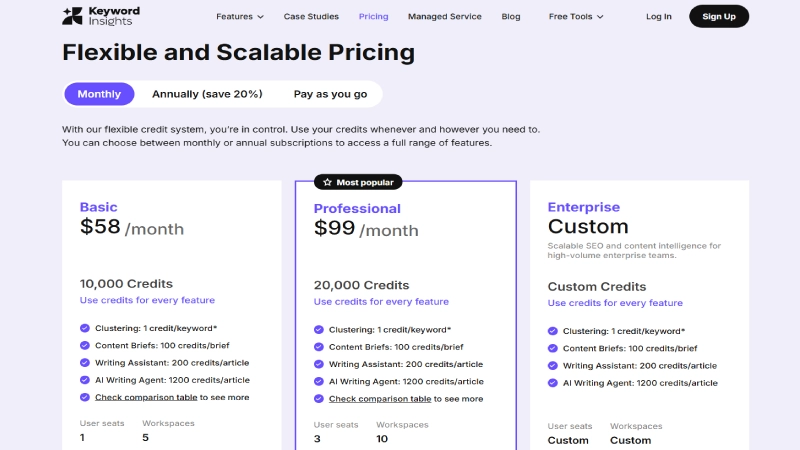
Keyword Insights uses a credit-based system. Different actions consume different numbers of credits, so the amount of work you can complete depends on how you use the platform.
The official pricing page currently lists these monthly subscription plans:
| Plan | Monthly Price | Included Credits |
|---|---|---|
| Basic | $58 | 10,000 |
| Professional | $99 | 20,000 |
| Premium | $299 | 50,000 |
Annual billing is advertised with a 20% discount.
Basic Plan – $58/Month
Basic includes 10,000 credits and access to the main research and content features.
It’s the most sensible starting point for a solo SEO professional or blogger who regularly plans new articles. The credit allowance can cover a meaningful amount of keyword clustering, but using several features together will reduce the remaining balance.
Professional Plan – $99/Month
Professional includes 20,000 credits, three user seats and ten workspaces.
This makes it more suitable for small SEO teams or agencies handling several content projects. Team sharing is another advantage over the entry-level plan.
Premium Plan – $299/Month
Premium includes 50,000 credits and is aimed at heavier usage.
It may be worthwhile for agencies processing large keyword lists or generating substantial amounts of content. Smaller websites are unlikely to need this level immediately.
How Much Do Credits Cost?
Different features have different credit requirements.
| Action | Credit Cost |
|---|---|
| Keyword clustering | 1 credit per keyword |
| Search intent classification | 1 additional credit per keyword |
| Content brief | 100 credits |
| Writing Assistant article | 200 credits |
| AI Writer Agent article | 1,200 credits |
| Keyword Discovery research | 1,000 credits |
For example, clustering 1,000 keywords costs approximately 1,000 credits. Adding search intent classification to those keywords may require another 1,000 credits.
This flexibility is useful, but it also means you should estimate usage before choosing a plan.
Is There a Free Trial?
Keyword Insights currently offers a 7-day trial for $1, including 5,000 one-time credits.
According to the official pricing page, the trial automatically moves to the pay-as-you-go version after seven days rather than starting a recurring subscription automatically. Users should still review the current checkout terms before paying.
There is no permanent free subscription with the same capabilities as the paid plans.
Keyword Insights Pros and Cons
| Pros | Cons |
|---|---|
| Useful SERP-based keyword clustering | No permanent free plan |
| Helps prevent overlapping content topics | $58 starting price may be high for beginners |
| Search intent analysis | Credit usage requires planning |
| Content briefs based on search results | Doesn’t replace a full technical SEO suite |
| AI writing and optimization tools | Generated content needs human editing |
| Google Search Console integration | Clustering recommendations still need review |
| Team collaboration options | Learning curve for new users |
| API for larger workflows | Heavy AI writing can consume credits quickly |
Keyword Insights vs Semrush vs Surfer SEO
Keyword Insights competes with several established SEO platforms, but its strongest features are more specialized.
| Tool | Main Strength | Best For |
|---|---|---|
| Keyword Insights | Keyword clustering and content planning | Building organized content strategies |
| Semrush | Broad SEO research and competitive analysis | Businesses needing an all-in-one SEO suite |
| Surfer SEO | Content optimization | Writers improving individual articles |
| Ahrefs | Keyword, backlink and competitor research | SEO professionals researching opportunities |
Keyword Insights vs Semrush
Semrush covers a wider range of SEO tasks, including keyword research, competitor analysis and technical site auditing. Keyword Insights focuses more closely on organizing keyword opportunities and turning them into content plans.
If you need one platform for many areas of SEO, Semrush may be a better fit. If your main challenge is clustering large keyword lists, Keyword Insights deserves a closer look.
READ MORE:
Keyword Insights vs Surfer SEO
Surfer SEO is particularly useful for optimizing individual articles based on search results and related terms.
Keyword Insights works earlier in the content process by helping users decide which pages to create. It also provides writing and optimization tools, but its clustering capabilities remain a major reason to choose it.
The two platforms can complement each other, although paying for both may be unnecessary for smaller websites.
Who Should Use Keyword Insights?
Keyword Insights is a good fit for SEO professionals managing substantial keyword lists. Instead of manually grouping hundreds of phrases, they can use clustering to develop a clearer content plan. Content agencies may benefit from its brief generator and collaboration features. Teams can prepare structured instructions for writers and reduce time spent on repetitive research.
It’s also useful for niche website owners who want to build coverage around related topics. A site publishing software reviews, for example, can use clustering to identify review opportunities, comparisons and educational articles. For someone running a small personal blog and publishing only occasionally, the subscription may be harder to justify. Free keyword tools and Google Search Console might be enough until the content workload grows.
Is Keyword Insights Worth It in 2026?
Keyword Insights is worth considering if keyword organization is slowing down your SEO workflow. Its strongest feature isn’t AI writing. It’s the ability to turn a large, confusing list of keywords into groups that can guide real publishing decisions. That can save time and help reduce unnecessary content overlap.
The content brief and writing tools make the platform more versatile, especially for agencies. Recent improvements around AI Overview citations and Search Console data also make it more relevant to changing search behavior. The main drawback is cost. At $58 per month, it’s not the cheapest option for a beginner. And because the platform uses credits, heavy users need to monitor consumption.
For a business publishing content regularly, however, better planning may justify the subscription.
Frequently Asked Questions
Is Keyword Insights free?
No. It doesn’t offer a permanent free subscription, but it currently provides a seven-day trial for $1.
How much does Keyword Insights cost?
The Basic plan costs $58 per month, Professional costs $99 and Premium costs $299.
What is keyword clustering?
Keyword clustering is the process of grouping related search terms that may be appropriate to target on the same page.
Is Keyword Insights good for SEO?
It can be useful for keyword research, search intent analysis and content planning. However, using the tool doesn’t guarantee higher search rankings.v
Can Keyword Insights write articles?
Yes. It includes an AI Writing Assistant and an AI Writer Agent that can generate drafts based on research and content briefs.
Does Keyword Insights work with Google Search Console?
Yes. It supports importing Search Console keyword information to help identify and organize content opportunities.Yes. It supports importing Search Console keyword information to help identify and organize content opportunities.
Final Verdict
Keyword Insights is a useful platform for anyone who regularly turns keyword research into a publishing strategy. Its clustering engine addresses a genuine problem: deciding which keywords belong together and which deserve separate pages.
The content brief generator and AI writing tools add convenience, but they aren’t the main reason to subscribe. The real value is having a more organized way to plan content before writing begins.
The price may discourage smaller publishers, and the credit system takes some getting used to. Still, for agencies and content-focused businesses, it can be a worthwhile investment.
Our verdict
Keyword Insights is worth trying if you manage large keyword lists or publish content regularly. Start with the $1 trial, test clustering on your own keywords and decide whether the time saved justifies the monthly cost.
Editorial note: This review is based on official product documentation and published pricing as of October 21, 2026. It does not claim independent hands-on testing.

1 comment