Most people are familiar with using an AI assistant in a fairly simple way. You open a conversation, ask a question, receive an answer and decide what to do next. This works well for writing emails or researching a topic, but it becomes less convenient when a project involves several days of work and information scattered across different applications. The assistant may help with one part of the task, yet the responsibility for remembering the next step often remains with the person using it.
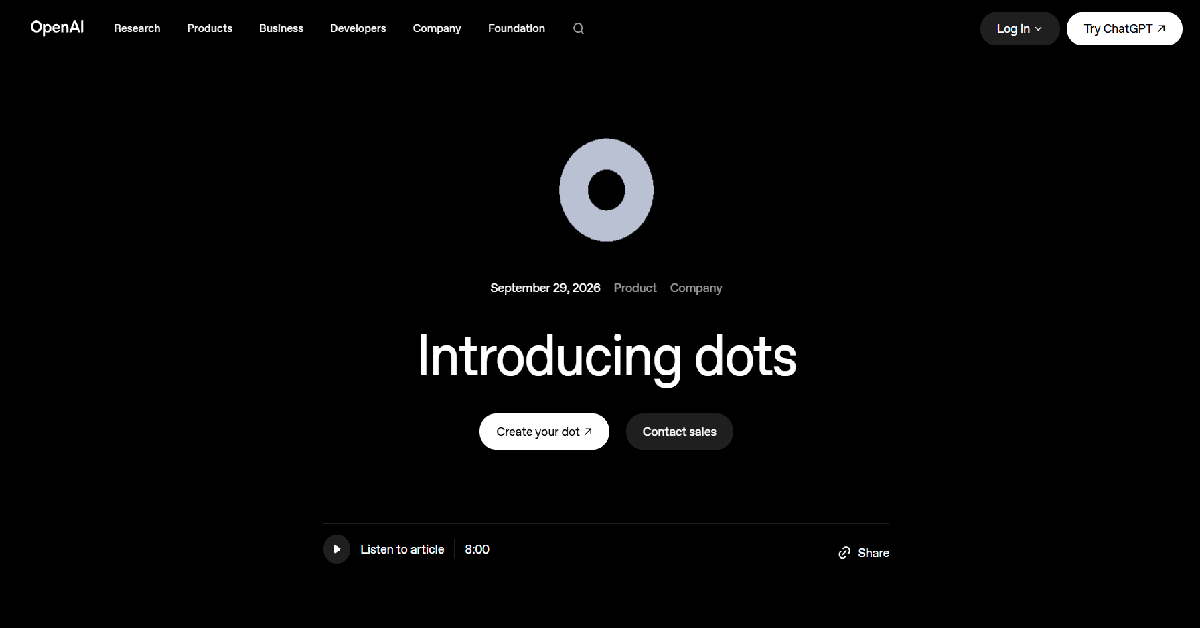
OpenAI Dots is designed to change that relationship. Instead of functioning only as an assistant that responds when prompted, a dot can take responsibility for an ongoing goal and continue working between conversations. It can use a dedicated cloud computer and connected applications to research information, create materials and return completed work for review. The idea is that an AI agent should be able to make progress on a project without requiring someone to supervise every small action.
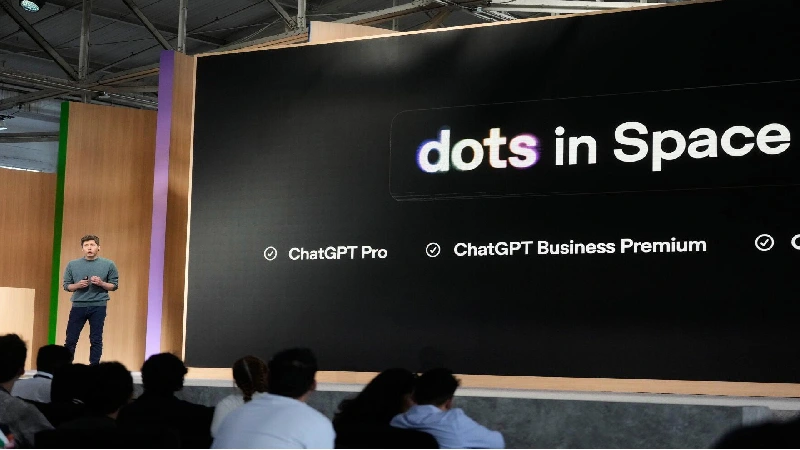
OpenAI introduced Dots on September 29, 2026, describing them as always-on agents powered by GPT-6 Astra. The launch represents a broader shift from conversational AI toward software that can perform sustained work. Rather than asking an assistant to summarize the same project repeatedly, a user can give a dot the project itself and guide its work over time.
That sounds promising, especially for professionals who spend much of their day coordinating tasks across different tools. A marketing manager might want an agent to gather campaign information and prepare a report. A developer could ask one to investigate a software issue and prepare changes for review. Someone managing a business might want regular updates about important work without manually collecting the information each time. greater autonomy also introduces new questions. How much can the agent do without approval? What information can it access? How much does it cost, and which users can actually try it? These questions matter because an always-on agent is more consequential than a chatbot that only produces text.
In this OpenAI Dots review, we will examine how the product works, what it can realistically do and how its pricing and availability compare with regular ChatGPT. We will also discuss privacy and limitations to help determine whether Dots offers enough value for professionals and businesses.
What Are OpenAI Dots?
OpenAI Dots are persistent AI agents built into the ChatGPT ecosystem. Each dot can be assigned a goal and given access to relevant tools and information. It can then continue making progress on that goal across multiple working sessions, including periods when the user is not actively chatting with it. A dot is powered by GPT-6 Astra and has its own cloud computer. It can use connected applications and supported tools to perform work that goes beyond generating a response. This may include navigating websites and preparing documents or coordinating information across business applications.
The word persistent is important here. A regular conversation usually focuses on the immediate request, while a dot is designed around an ongoing responsibility. It can retain useful context and use feedback to understand how the user prefers work to be completed. a business owner could assign a dot the responsibility of preparing a weekly operational report. The dot could gather information from connected sources and prepare a draft while identifying issues that need attention. The owner would then review the results and provide direction.
This does not mean the agent has unlimited freedom. OpenAI provides permission controls and approval requirements that determine what the dot can do independently. Users can also pause the agent or change its instructions.
OpenAI Dots at a Glance
| Detail | Information |
|---|---|
| Product Name | OpenAI Dots |
| Developer | OpenAI |
| Launch Date | September 29, 2026 |
| Category | Autonomous AI Agents |
| Underlying Model | GPT-6 Astra |
| Main Purpose | Ongoing AI-assisted work |
| Dedicated Cloud Computer | Yes |
| Connected Apps | Supported through plugins |
| Memory and Context | Yes |
| Background Work | Yes, subject to controls and limits |
| User Approvals | Configurable |
| Available Plans | Eligible Pro, Business Premium and Enterprise beta |
| Standalone Free Plan | Not announced |
| Official Website | Introducing Dots |
OpenAI says its plugin ecosystem supports connections to more than 4,000 applications, although the actual integrations available to a particular user depend on the applications and permissions supported by their account.
How Do OpenAI Dots Work?
Dots work by combining a persistent AI agent with access to a computer and connected applications. A user begins by defining a goal. That goal might be completing a presentation or improving an application, rather than answering a single question. The agent uses the information and permissions available to it to determine what work needs to be done. Consider a marketing team preparing a monthly performance review. The necessary information might be distributed across spreadsheets and internal documents. In a conventional AI workflow, someone would collect the data and provide it to a chatbot before requesting a summary. With a properly configured dot, the team can delegate more of that preparation process.
The agent can gather relevant information from supported connected sources and organize it into a useful output. It may also identify missing information or decisions that require human judgment. Instead of repeatedly starting from the beginning, the dot can continue the project using its existing context. OpenAI describes this as an agent that works toward a goal rather than simply responding to individual prompts. Users can review what it has completed and change its direction when necessary. Its persistent nature is intended to reduce the amount of repeated explanation required for ongoing projects.
A dot also has boundaries. Its ability to act depends on connected services and granted permissions. Some actions require approval, and users remain responsible for reviewing important results.
OpenAI Dots Key Features in 2026
1. Always-On AI Assistance
The defining feature of OpenAI Dots is the ability to continue supporting an ongoing goal between conversations. Traditional AI assistants are often used one request at a time. A dot is designed to maintain responsibility for work that may involve multiple steps and recurring attention.
Imagine a product manager responsible for a software launch. The work may involve tracking feedback and preparing progress updates while coordinating information across several tools. Instead of asking an assistant to reconstruct the project context every morning, the manager can give a dot an ongoing responsibility and provide feedback as the work develops.
This does not mean that a dot independently performs every imaginable task around the clock. Its activity depends on the instructions and connected information available, and more substantial work is subject to plan allowances. Nevertheless, the persistent approach can reduce the effort of restarting the same workflow repeatedly.
2. Dedicated Cloud Computer
Each dot has its own cloud computer, allowing it to work in an environment separate from the user’s device. This is an important capability because many real-world tasks involve interacting with websites and applications rather than simply generating written responses. A cloud computer can help an agent perform multi-step tasks that require navigating software interfaces and working with files. For example, a dot may be able to gather information from supported sources and prepare a report while the user works on something else.
OpenAI also provides an option to connect a local computer through the ChatGPT desktop application. Local access is turned off by default and requires explicit permission. This distinction is important for security because creating a dot does not automatically give it access to everything stored on a user’s laptop. Cloud and local environments have different limitations. Websites may require authentication or block automated browsers, and some work may require the user to take control temporarily. A dedicated computer makes more workflows possible, but it does not eliminate technical restrictions.
3. Persistent Memory and Personal Context
Dots use memory to maintain useful context about ongoing work. They can begin with relevant ChatGPT memory and learn from feedback as a project develops. This helps reduce the need to explain the same preferences and requirements during every interaction. a business owner might prefer concise reports with financial changes presented first. After receiving feedback, the dot can use that preference when preparing future reports. A content creator may have a particular editorial style or publishing workflow that should remain consistent across projects.
Persistent context is particularly useful for long-running responsibilities. An agent that understands the project’s history may be better positioned to identify what has changed and what requires attention. memory creates privacy considerations. A dot can retain information obtained from connected applications, and disconnecting an application does not automatically erase context previously collected from it. OpenAI currently requires users to reset the dot to delete its own retained context rather than editing individual dot memories directly.
4. Integration With Connected Applications
Dots can work with applications connected through the ChatGPT plugin ecosystem. OpenAI says its broader ecosystem includes more than 4,000 applications, creating opportunities for agents to operate across different tools. a professional might connect supported email and calendar services. A dot could then help prepare for meetings or summarize information relevant to ongoing projects. Business teams may use integrations to coordinate information from communication platforms and document repositories.
The advantage is that users do not necessarily need to move information manually between every application. When appropriate permissions are granted, the agent can access relevant context through supported connections. the number of supported integrations should not be confused with unrestricted access. Available actions vary by application. A connection that allows reading information may not allow editing records or sending messages. Users should review each integration’s permissions before relying on it for important workflows.
5. Proactive Research and Updates
One of the more distinctive features of Dots is proactive research. A dot can review permitted connected information and identify useful updates even when the user has not sent a new message. Consider someone coordinating a project across several teams. Important changes may appear in documents or communication channels throughout the week. An agent that can review relevant information proactively may help surface developments that would otherwise be overlooked.
This is different from giving an assistant a one-time instruction to summarize a document. The dot can maintain context about an ongoing responsibility and identify information that may deserve attention.
There are important boundaries. OpenAI says proactive research cannot directly send messages to other people, change content through plugins or control a browser or computer. Those activities require separate authorized workflows and the usual safety checks. Proactive research is therefore best understood as an information-gathering capability rather than unrestricted autonomous action.
6. Scheduled Tasks and Recurring Workflows
Dots support reminders and recurring tasks. Users can ask an agent to perform a check at regular intervals or prepare information according to a schedule. a manager might request a morning summary of upcoming meetings. A business owner could ask for a recurring review of project information. These workflows are useful because they replace repetitive manual requests with scheduled activity.
The results appear in the dot’s conversation, and users can manage scheduled work through its profile or the relevant ChatGPT task controls. Tasks can be reviewed or paused when they are no longer needed. Scheduled activity is particularly useful for predictable responsibilities. However, the usefulness of a recurring task depends on whether the agent has access to reliable information and whether the instructions clearly define what should be reported.
7. Research, Writing and Content Creation
OpenAI identifies content creation as one of the practical use cases for Dots. A dot can help transform source material into multiple deliverables and carry feedback across drafts. a podcast producer might provide an interview transcript and ask for episode notes and social posts. Instead of producing a single response and ending the interaction, the dot can continue refining related materials as the producer reviews them.
This approach may also be useful for marketing teams preparing content around product launches. An agent could help organize source information and prepare drafts for different channels while maintaining consistency with previously approved messaging. Nevertheless, generated content still requires editorial review. The agent may misunderstand source material or introduce unsupported claims. Businesses should verify important information and ensure that published content reflects their own expertise.
8. Software Development and Coding Tasks
Dots can support software development workflows, including scoping changes and writing code or preparing tests. OpenAI’s documentation describes improving an application as one of the product’s intended uses. A developer could ask a dot to investigate a problem and prepare changes for review. When appropriate environments are available, the dot may delegate coding work to supported development tools, including Codex cloud environments.
This can be useful for tasks that require several stages, such as understanding a codebase and identifying the files that need modification before writing tests. Developers should not treat autonomous code generation as a replacement for engineering review. Security-sensitive changes and production deployments require careful validation. An agent can help perform work, but responsibility for the finished software remains with the development team.
9. Multiple Communication Channels
Dots are designed to be accessible through ChatGPT and supported communication channels. OpenAI has highlighted Slack and Microsoft Teams integrations along with voice interaction and limited texting capabilities. This matters because professionals may not want to open a separate AI application every time they need to provide an update. Being able to communicate with an agent through familiar tools can make ongoing collaboration more convenient.
Channel availability varies. Texting is currently a limited beta for eligible Pro users in the United States, and a dot cannot initiate phone calls to users at launch. Messaging channels may also require setup through the desktop experience. These restrictions mean that the product’s communication options should be evaluated according to a user’s actual account and region rather than assuming every advertised channel is available everywhere.
10. Custom Rules and Action Approvals
An always-on agent needs clear limits on what it can do. Dots include configurable rules that allow users to define which supported actions may happen automatically and which require approval. someone might allow a dot to prepare email drafts but require confirmation before sending messages. Another user may permit recurring updates while preventing the agent from making purchases or changing important records without approval.
OpenAI provides built-in safeguards that cannot be overridden simply by changing custom rules. Certain sensitive activities require the user to take over and complete the action personally. These controls are essential because an AI agent may misunderstand an instruction. A well-designed approval process reduces the chance that a mistake turns into an unwanted external action.
11. Activity Tracking and Task Review
Dots provide a way to review ongoing and completed work. The activity interface shows tasks and their status, helping users understand what the agent is doing and what still requires attention. This is valuable because autonomous work should not become invisible work. Users need to know whether a task is progressing and whether the agent has encountered a problem.
A project manager could review completed research and provide corrections before the dot continues. A developer could inspect generated changes before deciding whether they are ready to merge. OpenAI also allows users to pause their dot. This provides a straightforward way to stop ongoing activity when priorities change or when the agent should no longer access connected information.
OpenAI Dots Pricing 2026
Dots are not currently marketed as a standalone subscription with a separate monthly price. Instead, access is included with specific ChatGPT plans, subject to eligibility and rollout availability.
According to OpenAI’s current documentation, the first dot is included at no additional charge for eligible Pro and Business Premium subscribers. These plans also include an allowance for more substantial work. The company has announced plans to introduce options for additional dots and expanded work capacity in the future.
| ChatGPT Plan | Dots Availability | Additional Dots Fee |
|---|---|---|
| Free | Not included | Not applicable |
| Go | Not included | Not applicable |
| Plus | Not included | Not applicable |
| Pro | Included in eligible regions | First dot included |
| Business Premium | Included in supported regions | First dot included |
| Enterprise | Admin-enabled beta | Contract-specific |
| Edu / Healthcare | Admin-enabled beta | Workspace-specific |
Is OpenAI Dots Free?
There is no separately advertised free Dots plan for ordinary ChatGPT Free users. Eligible Pro and Business Premium subscribers receive their first dot as part of their existing subscription. This means the first dot does not require a separate add-on payment, but it should not be described as a completely free product. Users still need a qualifying paid plan or an eligible organization-managed workspace.
The included allowance for deeper work is also not unlimited. OpenAI has not published a universal fixed number of tasks that every dot can complete each month. Work capacity depends on the relevant plan and usage conditions.
Does ChatGPT Plus Include Dots?
No. As of October 16, 2026, ChatGPT Plus is not among the plans listed for Dots access in OpenAI’s official availability documentation.
Plus subscribers may have access to other ChatGPT features and tools, but those should not be confused with the persistent Dots product.
Where Are OpenAI Dots Available?
Dots are rolling out to eligible Pro subscribers aged 18 or older outside the European Economic Area, Switzerland and the United Kingdom. Business Premium availability covers supported ChatGPT regions, while Enterprise access requires an administrator to enable the beta.
Even in an eligible region, access may not appear immediately because the rollout is gradual. Users should check the official Dots page and their account rather than assuming availability from their location alone.
Is the Pricing Worth It?
The value of Dots depends heavily on how much meaningful work a user can delegate. Someone who only asks occasional questions may not benefit enough from a higher-tier subscription to justify upgrading solely for Dots.
For professionals managing ongoing projects, the calculation is different. If a dot can reduce repetitive research and preparation while helping work progress between meetings, it may provide substantial value. users should evaluate actual results rather than estimating savings from promotional claims. A dot that requires frequent correction may not save as much time as expected. Its usefulness depends on the quality of instructions and connected information as well as the amount of review required.
OpenAI Dots vs Regular ChatGPT
The biggest difference between Dots and a regular ChatGPT conversation is responsibility over time. ChatGPT can help answer questions and complete individual tasks. A dot is intended to take responsibility for an ongoing goal and continue making progress between interactions.
| Feature | Regular ChatGPT | OpenAI Dots |
|---|---|---|
| Conversational assistance | Yes | Yes |
| Ongoing project responsibility | Depends on workflow | Core purpose |
| Dedicated agent cloud computer | Not standard for every chat | Yes |
| Persistent project context | Memory and chat context | Agent-specific context |
| Proactive research | Feature-dependent | Supported |
| Scheduled tasks | Available through ChatGPT tasks | Integrated with dot workflow |
| Connected applications | Supported | Supported |
| Action approvals | Depends on tool | Dedicated rules and approvals |
| Included in Plus | Yes, ChatGPT | No, Dots not currently included |
This comparison does not mean that Dots replaces ChatGPT. The two experiences serve different purposes and share parts of the same ecosystem. ChatGPT remains useful for quick questions and immediate tasks, while Dots is intended for sustained responsibilities.
OpenAI Dots vs Other AI Agents
Dots enters a market that already includes AI automation platforms and agentic assistants. However, not every competing product is designed to perform the same type of work.
| Platform | Main Focus | Suitable For |
|---|---|---|
| OpenAI Dots | Persistent personal and work agents | Ongoing multi-step responsibilities |
| ChatGPT Work | Delegated complex tasks | Research and substantial project work |
| Zapier | Application automation | Structured triggers and workflows |
| Lindy | AI assistants and automations | Business process assistance |
| n8n | Workflow automation | Custom integrations and technical workflows |
OpenAI Dots vs ChatGPT Work
ChatGPT Work is designed to carry out substantial tasks, including research and document creation. It can use tools and computer interfaces to complete multi-step work. Dots builds on the idea of delegation but places greater emphasis on continuing responsibility. A user can assign a dot a project that requires ongoing attention rather than treating every task as a separate handoff.
The distinction is useful when deciding whether a job needs an agent that stays involved over time. A one-time research report may fit a task-oriented workflow, while an ongoing responsibility may be better suited to a dot.
OpenAI Dots vs Zapier
Zapier is best known for connecting applications through automated workflows. A user can define a trigger and a sequence of actions, such as copying information from a form into a spreadsheet.
Dots takes a more goal-oriented approach. Rather than requiring every step to be explicitly defined in advance, the agent can reason about a task and determine how to proceed within its available tools and permissions. This flexibility may be valuable for work that changes from week to week. However, predictable workflows can sometimes be easier to audit and maintain using conventional automation.
OpenAI Dots vs n8n
n8n provides a workflow automation environment that is particularly attractive to technical users. It allows developers to create detailed integrations and control how information moves between systems.
Dots is more conversational and focuses on delegating responsibilities to an agent. It may be easier to describe a broad goal than to design a complete automation workflow. On the other hand, organizations requiring deterministic processes and precise execution logic may prefer a workflow tool for some tasks. Dots and traditional automation can also complement each other.
OpenAI Dots Pros and Cons
| Pros | Cons |
|---|---|
| Can continue work between conversations | Limited plan availability |
| Dedicated cloud computer | More substantial work has usage limits |
| Persistent context and memory | Memory requires careful privacy management |
| Works with connected applications | Integrations depend on permissions |
| Supports recurring tasks | Some actions require user approval |
| Can help with research, content and coding | Generated results may contain mistakes |
| Configurable rules and safeguards | Complex workflows may need supervision |
| First dot included in eligible plans | No general Free or Plus access |
| Can review ongoing task activity | Rollout and regional restrictions |
Who Should Use OpenAI Dots?
Business Owners and Entrepreneurs
Business owners often manage many small responsibilities that compete for attention. They may need to prepare reports and review customer feedback while monitoring projects and coordinating with contractors. These tasks are important but can consume time that would otherwise be spent making business decisions.
Dots may help by maintaining context around ongoing work and preparing useful information for review. For example, an owner could ask a dot to follow a project and prepare periodic summaries from connected sources. The greatest benefit is likely to come from delegating repeatable preparation work rather than allowing the agent to make important business decisions independently.
Marketing and Content Teams
Marketing teams regularly produce content and analyze performance while coordinating campaigns across multiple channels. A persistent agent could help organize source information and maintain continuity across drafts and reports. team could use a dot to prepare campaign updates based on connected information. It could also help turn approved source material into different content formats. marketing teams should review every public-facing output for accuracy and brand consistency. An agent can accelerate preparation, but editorial judgment remains necessary.
Software Developers
Developers may benefit from agents that can investigate problems and prepare changes for review. Dots can support this work through compatible coding environments and delegated tasks.
A developer could assign an ongoing improvement project and review the results as the agent progresses. This may be useful for maintenance tasks that require several stages of investigation and implementation.
The most important limitation is reliability. Code changes should be tested and reviewed before deployment, particularly when they affect security or production data.
Researchers and Analysts
Research projects often require gathering information from several sources and updating findings as new material becomes available. Dots may help organize this work and maintain continuity over time.
An analyst could use a dot to prepare periodic research summaries or collect information relevant to an ongoing project. The persistent context may reduce the need to reconstruct previous findings. sources should still be verified. An agent may misunderstand a document or overlook an important qualification, especially when dealing with complex technical information.
Enterprise Teams
Larger organizations may be interested in Dots because ongoing work often spans many applications and departments. Agents that maintain context and support delegated responsibilities could reduce repetitive coordination.
OpenAI offers an Enterprise beta that workspace administrators must enable. This gives organizations an opportunity to evaluate the technology before introducing it more broadly.
Enterprise adoption should include careful consideration of data access and approvals along with compliance requirements and monitoring. A persistent agent is most useful when its responsibilities are clearly defined.
Are OpenAI Dots Safe and Private?
Privacy and security deserve particular attention because Dots can work with connected applications and retain context over time. A user may give an agent access to documents and communication tools that contain confidential information.
OpenAI provides permission controls and custom rules along with automatic checks for certain actions. Sensitive operations may require explicit approval or direct user intervention. For example, changing a password requires the user to take over rather than allowing the dot to complete the action independently.
OpenAI also explains that a dot can retain information obtained from connected services. Disconnecting a plugin prevents new access through that connection but does not automatically remove information already incorporated into the dot’s context. Users should understand this before connecting sensitive sources.
Data-use policies vary by plan. OpenAI states that Business, Enterprise and Edu workspace data is not used for model training by default. For personal plans, the relevant model-improvement setting determines whether eligible conversations and work may be used to improve models.
These safeguards are meaningful, but no autonomous system should be treated as incapable of making mistakes. OpenAI acknowledges risks such as prompt injection, where malicious instructions embedded in websites or documents attempt to influence an agent’s behavior. Users should review consequential actions and apply the minimum permissions needed for a task.
How to Get Started With OpenAI Dots
Setting up a dot is intended to be straightforward for eligible users. OpenAI supports creation through ChatGPT on desktop web and desktop applications, as well as supported versions of its iOS and Android apps. Mobile browsers are not currently supported.
- Open ChatGPT Dots and check whether the feature is available to your account.
- Follow the onboarding process to create your first dot.
- Give the dot a name and describe the responsibility you want it to manage.
- Connect relevant applications after reviewing their permissions.
- Define custom rules for actions that require approval.
- Assign an initial task and review the results.
- Refine the instructions as the dot learns your preferences.
A sensible first project is something that has clear inputs and a measurable output, such as preparing a recurring summary. This allows users to evaluate reliability before delegating more complicated responsibilities.
Is OpenAI Dots Worth It in 2026?
OpenAI Dots is worth evaluating for people who want an AI assistant to remain involved in ongoing work rather than responding only to individual requests. Its combination of persistent context and connected applications creates opportunities to reduce repetitive coordination and preparation.
The product is particularly relevant to professionals managing several projects. A dot can help gather information and prepare deliverables while maintaining context about previous decisions. This may be more useful than repeatedly prompting a conventional assistant to perform the same tasks. its value is less obvious for casual users. Dots is currently restricted to qualifying plans and supported regions, and deeper work is subject to usage allowances. Someone who mainly asks occasional questions may not need an always-on agent.
The product is also new. Its launch in September 2026 means that long-term independent evaluations remain limited. Users should judge the service based on their own workflows rather than assuming every task will be completed autonomously or correctly.
Frequently Asked Questions
What are OpenAI Dots?
OpenAI Dots are always-on AI agents in ChatGPT that can maintain ongoing responsibilities and continue making progress between conversations.
When were OpenAI Dots launched?
OpenAI announced Dots on September 29, 2026.
What model powers OpenAI Dots?
Dots are powered by GPT-6 Astra, according to OpenAI’s official announcement.
Are OpenAI Dots free?
There is no standalone free Dots plan. The first dot is included at no additional cost for eligible Pro and Business Premium subscribers.
Does ChatGPT Plus include Dots?
No. As of October 16, 2026, Plus is not listed among the plans that include Dots.
Final Verdict
OpenAI Dots represents an important development in the way AI assistants are used. Rather than focusing only on producing answers, it introduces a model of ongoing collaboration where an agent can maintain responsibility for work and return results over time.
Its dedicated cloud computer and integrations make it more capable than a basic chatbot for certain multi-step tasks. Persistent memory and recurring workflows may also help users avoid repeatedly explaining the same project context.
Our verdict
OpenAI Dots is a promising option for professionals and businesses that want persistent AI assistance across ongoing projects. It is worth exploring if your account is eligible and you have recurring work that could benefit from delegation. Casual ChatGPT users may find their existing tools sufficient.
This review is based on official OpenAI documentation and launch information. It does not claim independent hands-on testing.